Assigning a department manager

We suggest only adding Managers and Admins as Department managers to the Departments.

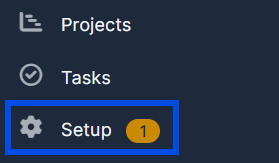
1. Inside the CRM go to "Setup" at the left side of the screen at the bottom of the settings list. 
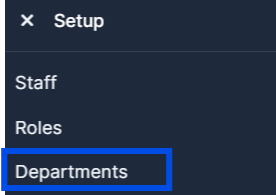
2. In the "Setup" options menu go to the "Departments" button.
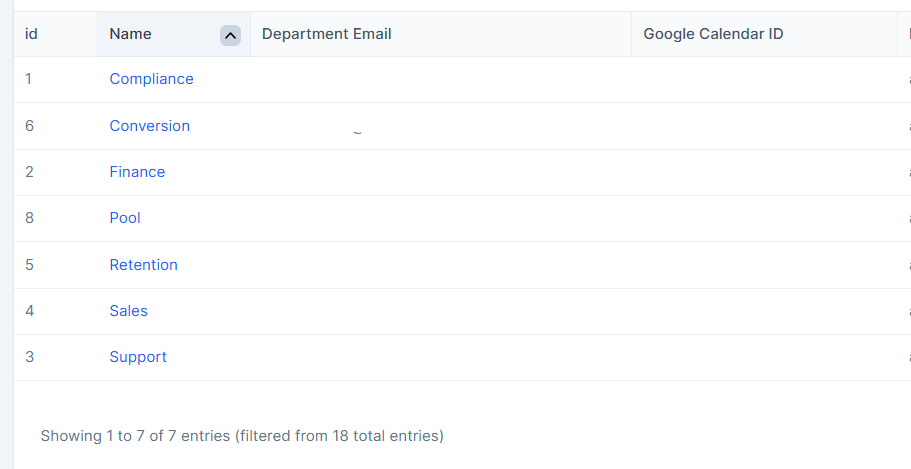
3. Find and choose the "Department" you want to add your department manager to and press on it.
4. Inside your chosen "Department" settings go to the Manager list and press on it.
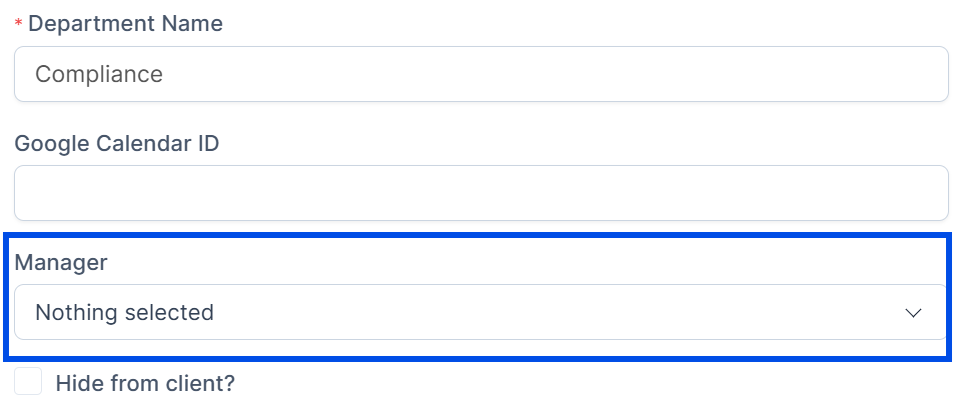
5. Press on the Manager list a dropdown list with all the members in the CRM will appear find and press on the members you want to assign as managers.
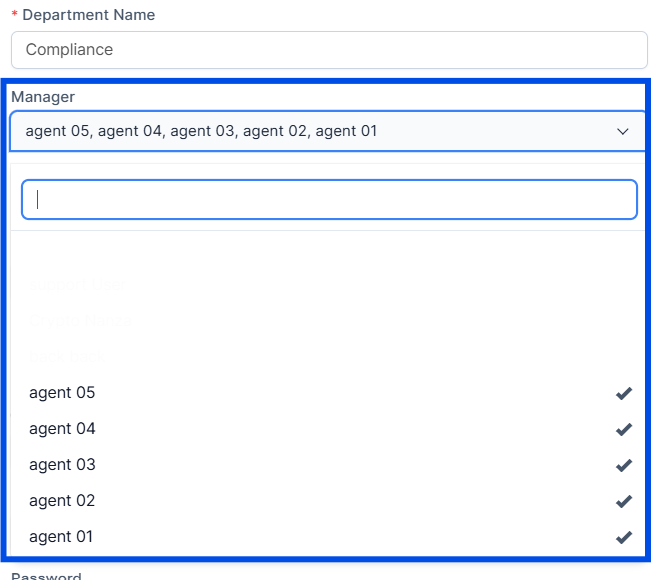
6. After choosing the department manager you want to add press Submit to save your changes the department manager you added will appear on the right side of the "Department".

Did you find this article useful?

  • What is Nanza Aggregator

    Nanza Aggregator is a platform that allows you to run your crypto trading and manage your portfolio....
  • Get Started with Nanza

    In this article, we'll explain how you can start with Nanza.We'll cover everything you need to know ...
  • Email Templates

    To set up email templates navigate to Setup -> Email templates and change the co...
  • Setting up roles

    Nanza CRM setup by default have only 1 role added with name Employee and with no permissions, it&#...
  • Staff Permissions Explained

    Invoices View (Global) – All invoices. View (Own) – Only invoices created by a s...
 
0 Console 0.0572 s Load Time 2.95 MB Memory Used 51 Queries Database 0 Eloquent Illuminate\Database vars & Config 469 Files