Dear Valued Partners,
We're excited to share a comprehensive overview of all updates and improvements merged to master during January 2026. This release focuses on security enhancements, improved user experience, new trading features, and significant platform stability improvements.
CRM Features and Updates
Permissions Enhancement
Setup-> Roles-> Choose the permission
What was added:
-"View Assigned Client Only" permission for agent-level client filtering. Staff with this permission see only their assigned clients in all Nanza tables and modules. All Nanza module models now respect this permission and show only assigned client data.
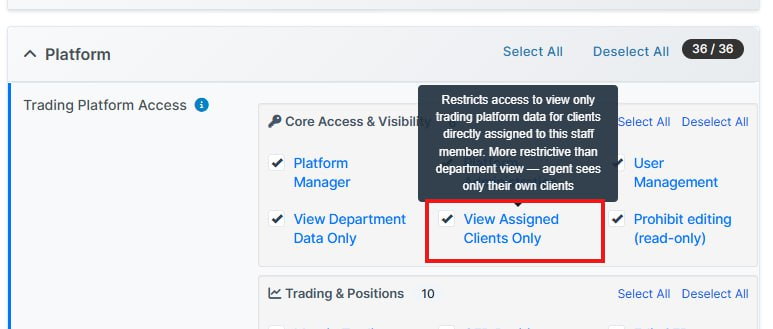
-Permissions are now groupped for better organisation.
-Added reopen CFD positions permission.
-Added filtering by view_assigned_only and view_department permissions. Statistics widgets now show only data for assigned clients or department clients.
-Added additional permission check conditions for trader menu. Trader menu now includes more permission checks for security and correct display.
Important for support: Statistics widgets now respect staff access permissions. If staff has view_assigned_only permission, they see statistics only for their assigned clients.
This is an important new access control feature. All Nanza module tables now support this permission:
- Binary positions
- CFD positions
- KYC
- Login history
- Margin positions
- Notifications
- Orders
- Payments
- Social trading
- Users
- Withdraw
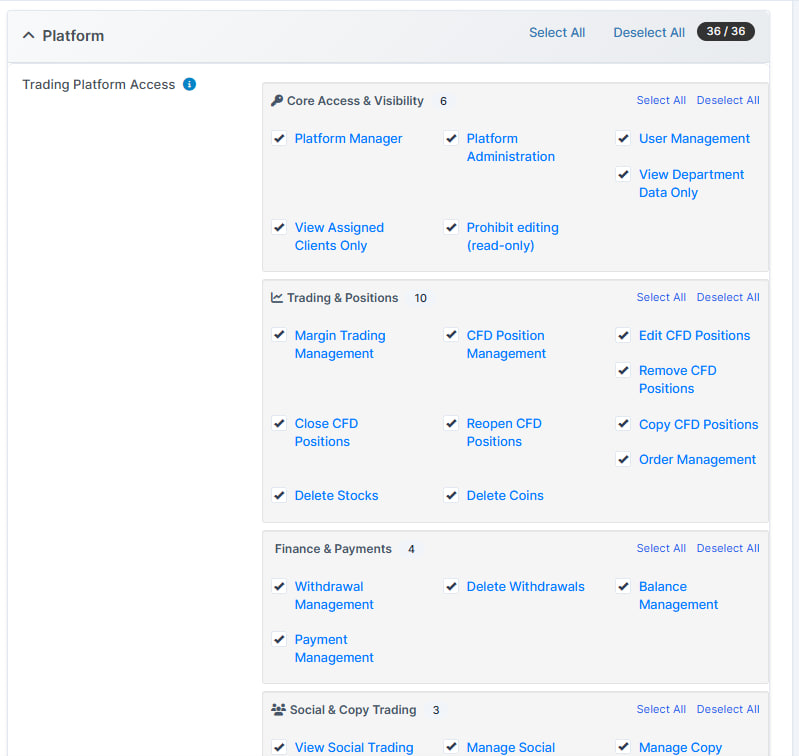
Traders Permissions Enhancement
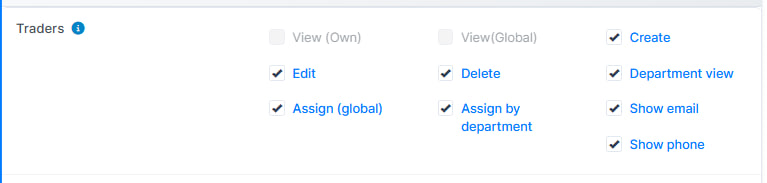
Setup-> Roles-> Choose the permission
What was added: Traders section has become clearer. The Platform permissions have moved to Trading Platform section.
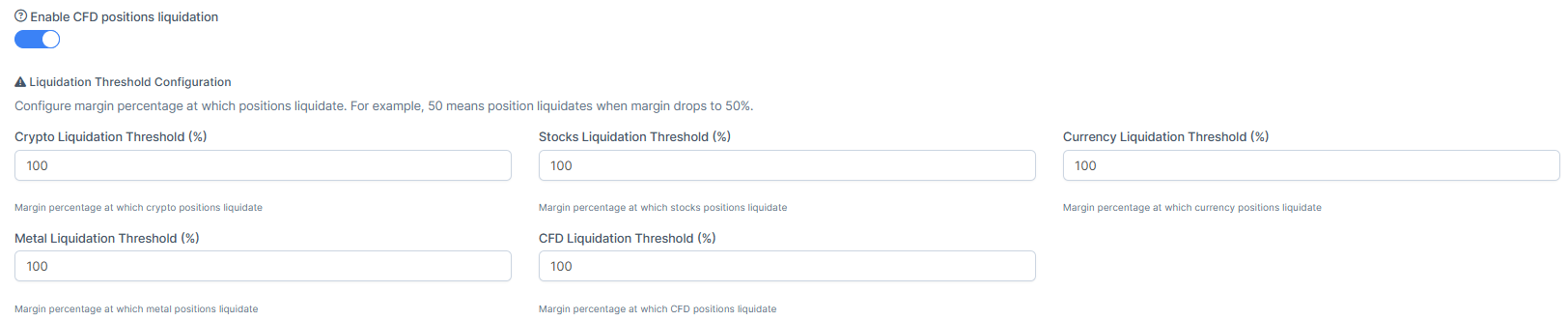
Liquidation Settings Enhancement
What was added: Added possibility to put the higher percent liquidation. Added the toggle that disables or enables all the liquidation varians. Added option to disable CFD position liquidation. Can now configure whether automatic position liquidation is allowed. New setting in Kryptoforex for controlling CFD position liquidation.
Way I: Setup-> Admin platform-> Trading-> Forex Settings-> Leverage and Risk
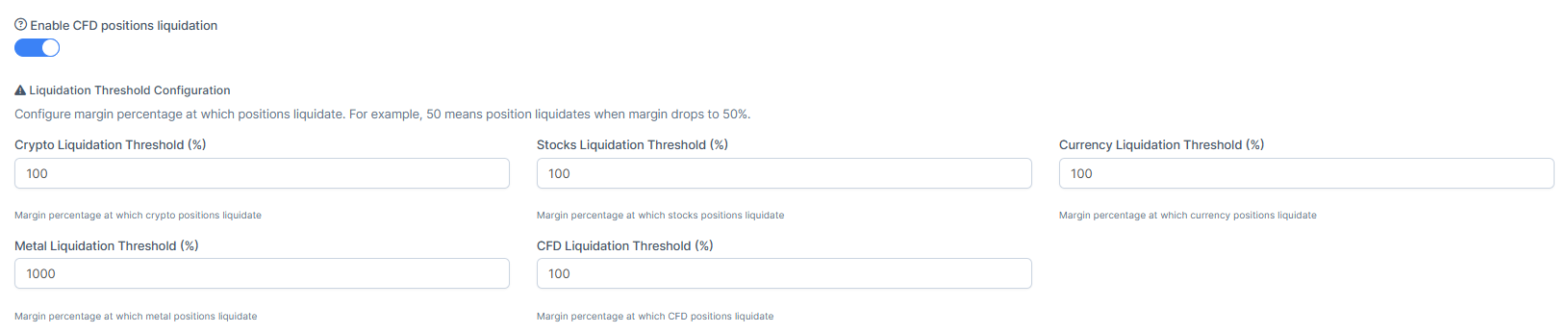
Way II: By the trading preset: Setup-> Trades-> Trading Preset Groups-> Options/New Trader Group
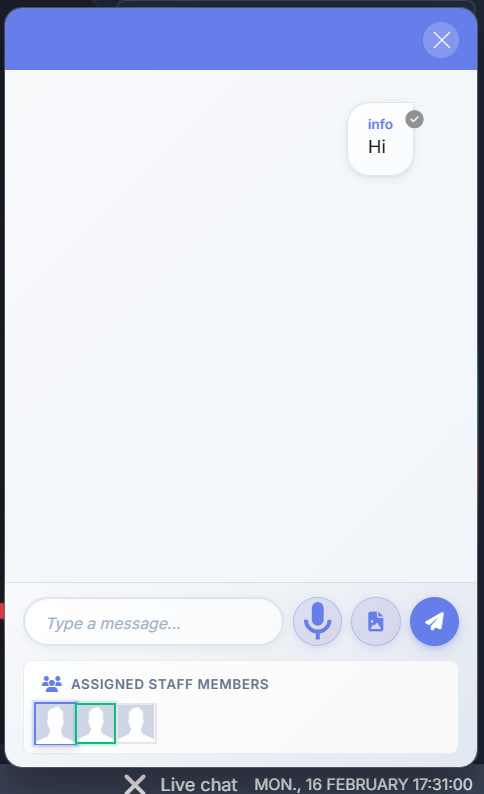
Live Chat Enhancement
Traders-> Press on the graph view of the client-> Summary-> Settings-> Show bar chat
How to Enable Live Chat for the Client
What was added: Our inside the platform chat has got an imprvement, ensuring better management from the client's side.
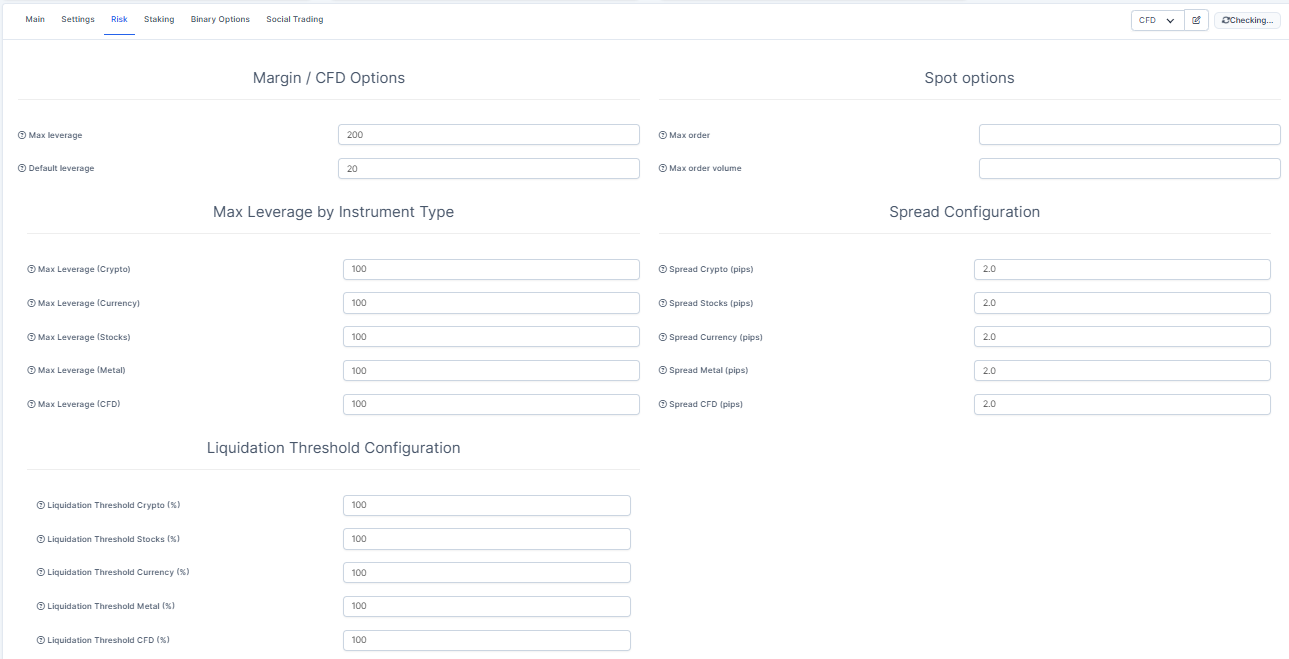
CFD Spread & Liquidation Enhancement
Traders-> Press on the graph view of the client-> Summary-> Risk
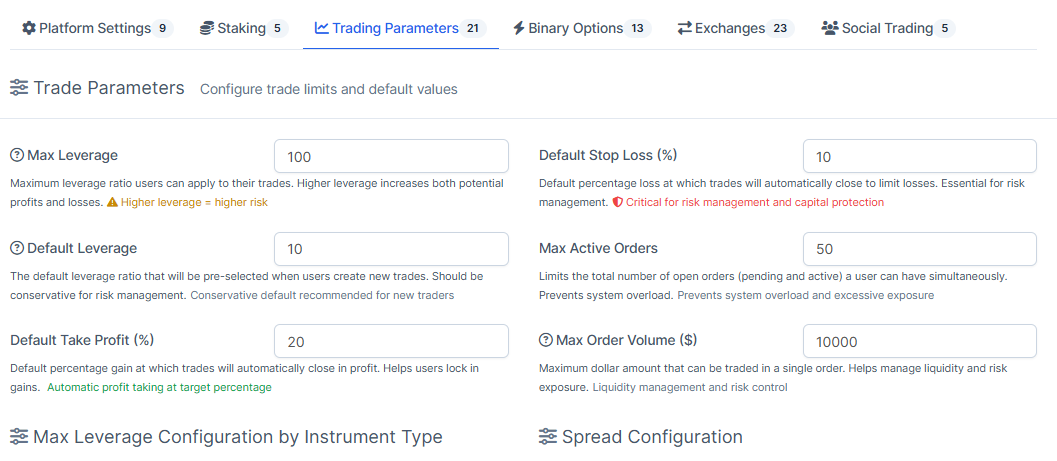
What was added: New "personality settings" feature for traders. Allows configuring individual parameters for each trader via trader presets. This adds the ability to configure personal trader parameters, which can affect how trader data and behavior are displayed in the system.
Setup-> Traders-> Trading settings presets-> Press on edit the preset-> Trading parametres
Balances Enhancement
Traders-> Press on the graph view of the client-> Summary
What was added: Fixed the overall view of the balances.
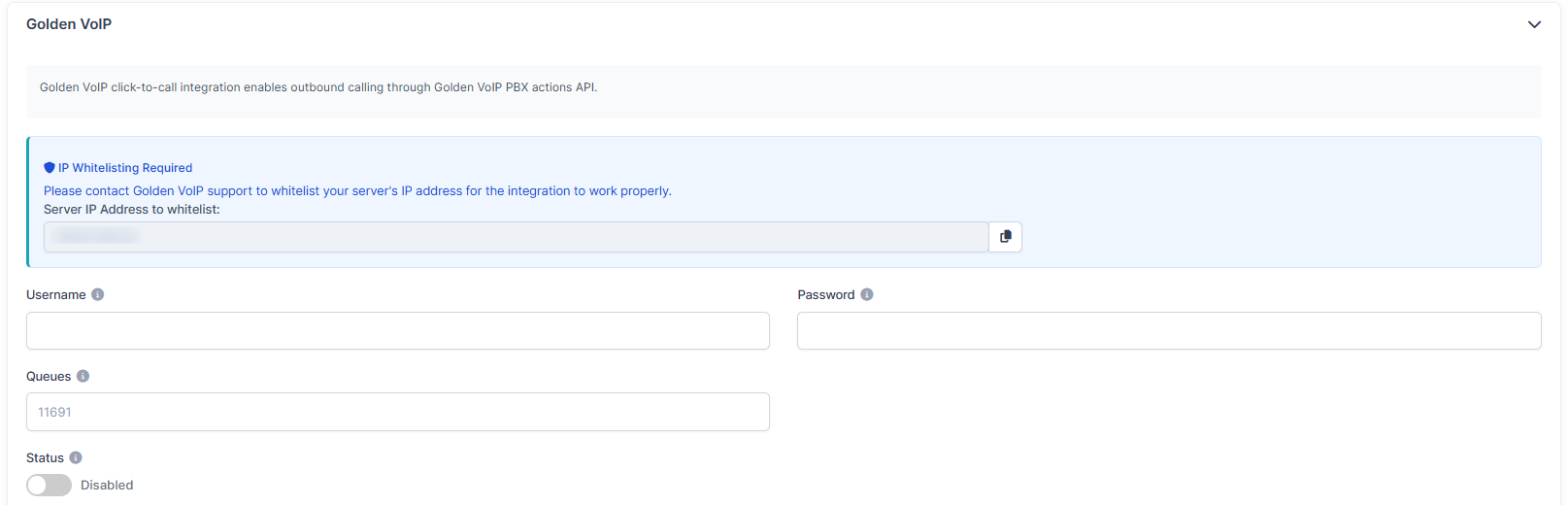
Golden VoIP Implementation
Click2Call-> Settings
What was added: Added Golden VoIP integration for click2call.
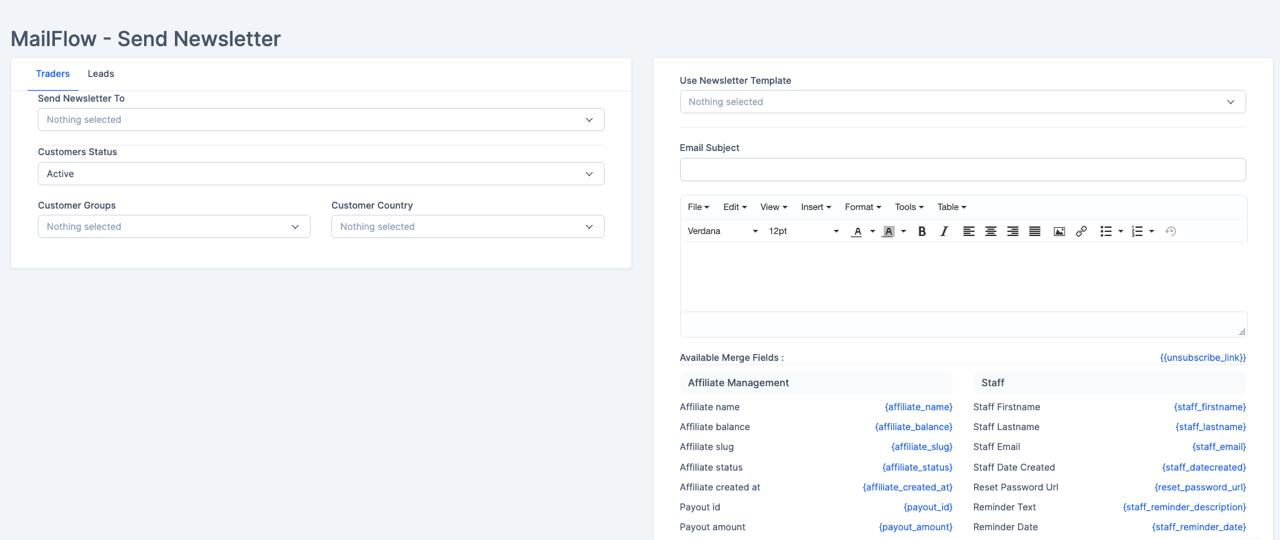
Mailflow Enhancement
Mailflow-> Newsletter
What was added: Unsubscribe functionality and merge fields support on the mailfow
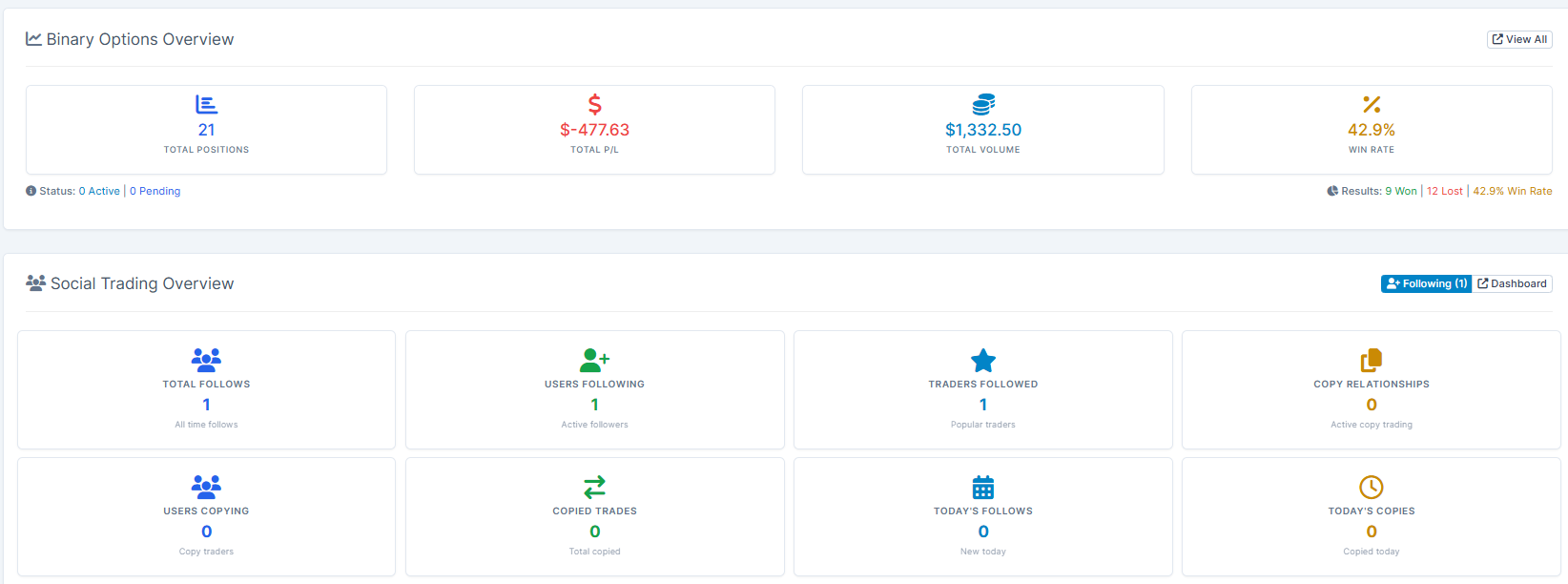
Dashboard Stats Enhancement
Login page-> CRM Dashboard
What was added: Instead of broad "manager" permission, dashboard widgets now check specific access permissions. This improves security and access control. Added next widgets: binary_options_stats, social_trading_stats, trader_presets_stats, wallet_management_stats
Reminders Improvements
Utilities-> Reminders
What was added: Enhanced reminders functionality:
- Added modal window for adding reminders from list views
- Updated reminder tables and calendar
- Improved filters and display

Automation Improvements
Utilities-> Automation
What was added: Enhanced automation manager to support multiple CRM entities and their specific triggers/actions. Automation manager now supports more automation types for different CRM entities

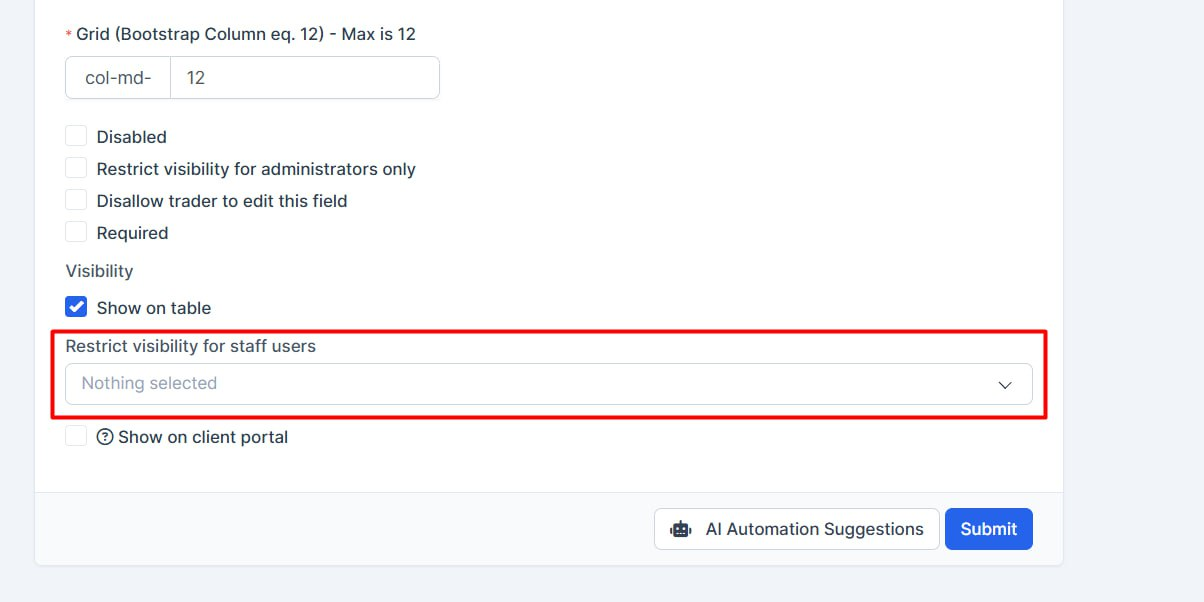
Costom Fields Restriction Feature
Setup->Custom Fields
What was added: Changed restricted_staff_ids field type in migration and added functionality for restricting staff access. Create a new one or edit an existing one. In the selection, choose a list of staff who should not see this field (like a blacklist).
Translation Enhancement
What was added: Out language files got updated and improved, use better translation with NFINX.
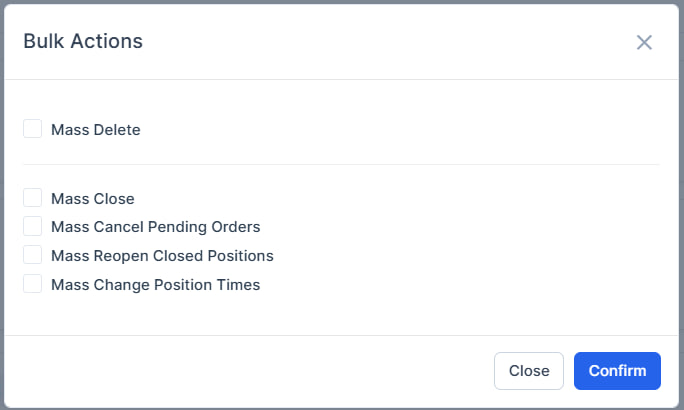
Bulk Action Features
Manager platform-> CFD positions/Margin positions-> Bulk action
What was added: Added the new bulk action item which allows to mass change position times on the CFD and Margin positions.
Platform Features and Updates
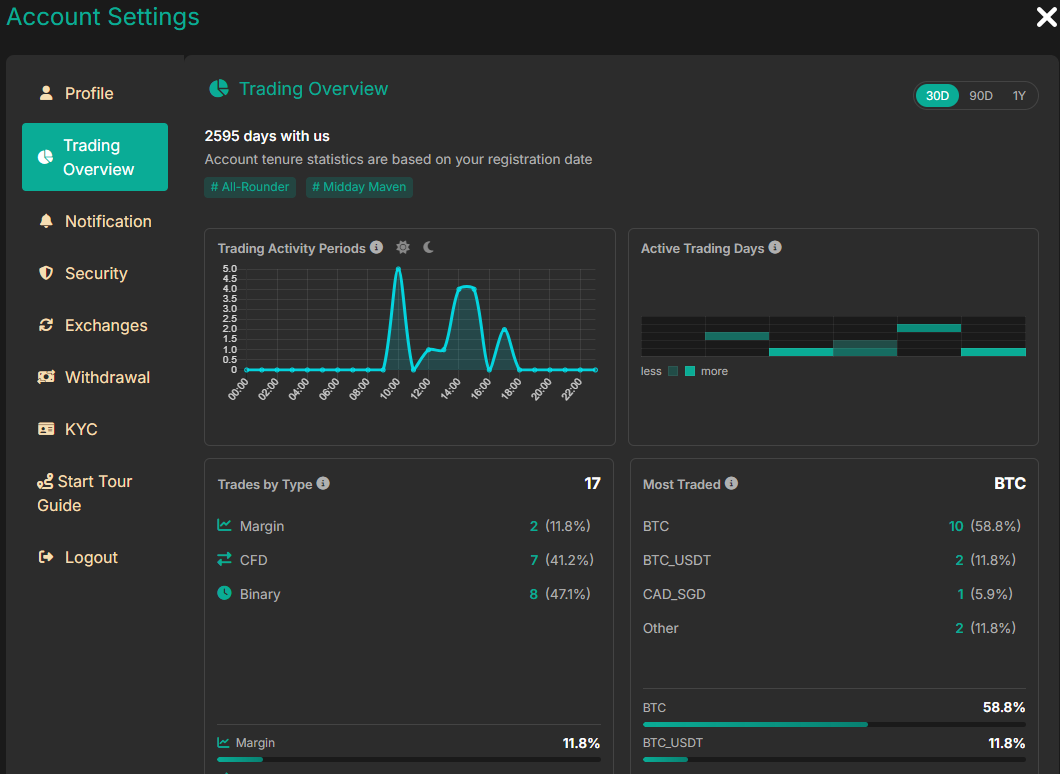
Trading Overview Feature
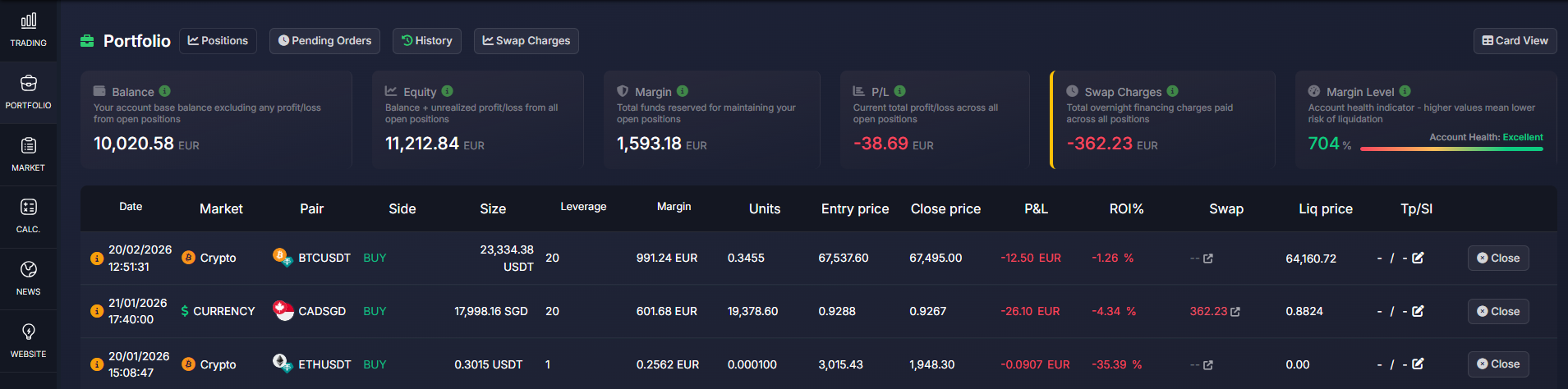
We've introduced a comprehensive trading overview feature that provides users with aggregated trading data and improved analytics.
New Capabilities:
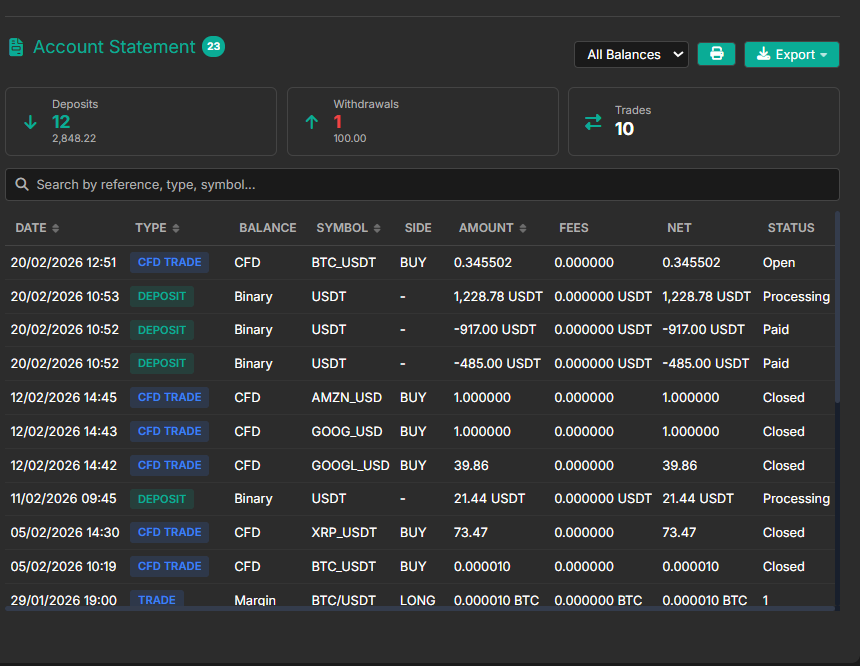
- Trading Data Aggregation: Centralized view of all trading activity across different account types
- Enhanced Analytics: Better insights into trading performance and patterns
- Improved UI: Modern interface for viewing trading statistics
- Account Integration: Unified view across crypto, forex, CFD, and margin accounts
Business Impact:
- Better user engagement through comprehensive trading insights
- Improved decision-making with aggregated data
- Enhanced user experience with unified trading overview
CFD Spread & Liquidation Threshold Configuration
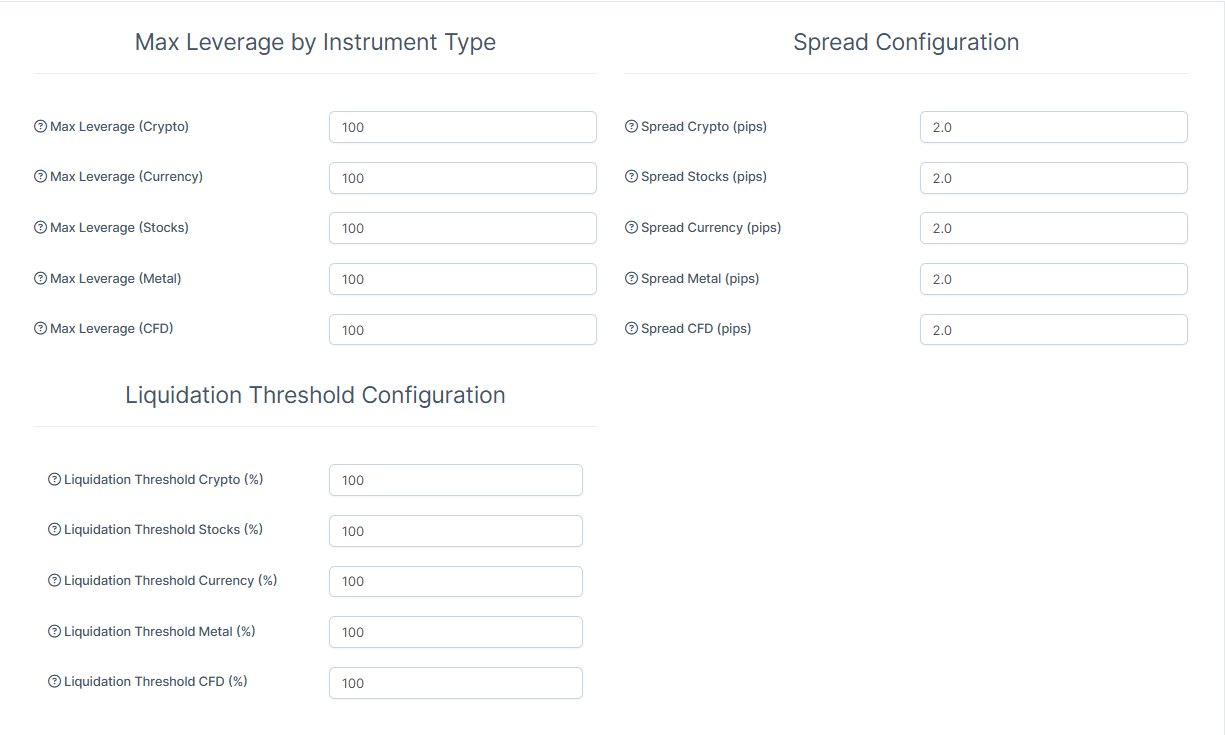
Added granular control over CFD instrument settings with per-instrument spread and liquidation threshold configuration.
New Capabilities:
- Per-Instrument Spread Configuration: Set custom spreads for individual CFD instruments
- Liquidation Threshold Settings: Configure liquidation thresholds per instrument
- Enhanced Risk Management: Better control over CFD trading parameters
- Admin Interface: Easy-to-use admin panel for managing CFD settings
Business Impact:
- More flexible pricing strategies for different instruments
- Better risk management capabilities
- Improved control over trading parameters
Way I: The CFD Spread General & Liquidation Threshhold Configuration settings can be found in: CRM-> Setup-> Admin pltfrom-> Trading-> Forex Settings-> Leverage & Risk-> you can find the settings there
Way II: By the trading preset: Setup-> Trades-> Trading Preset Groups-> Options/New Trader Group
Way III: By the user: Traders page-> Press on the graph view by the trader-> Summary-> Risk-> you can find the settings there
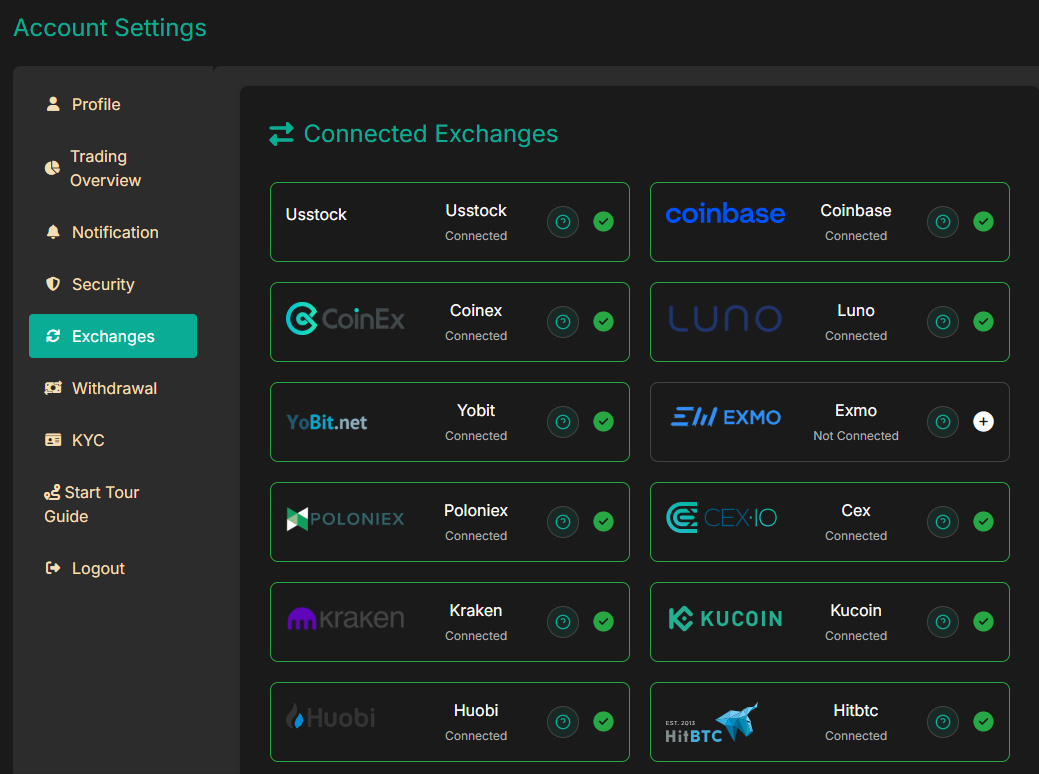
Exchange Integration Improvements
Significant improvements to exchange integration and management.
New Capabilities:
- Bittrex Removal: Removed deprecated Bittrex exchange support
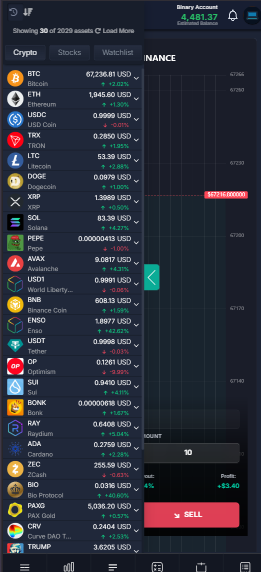
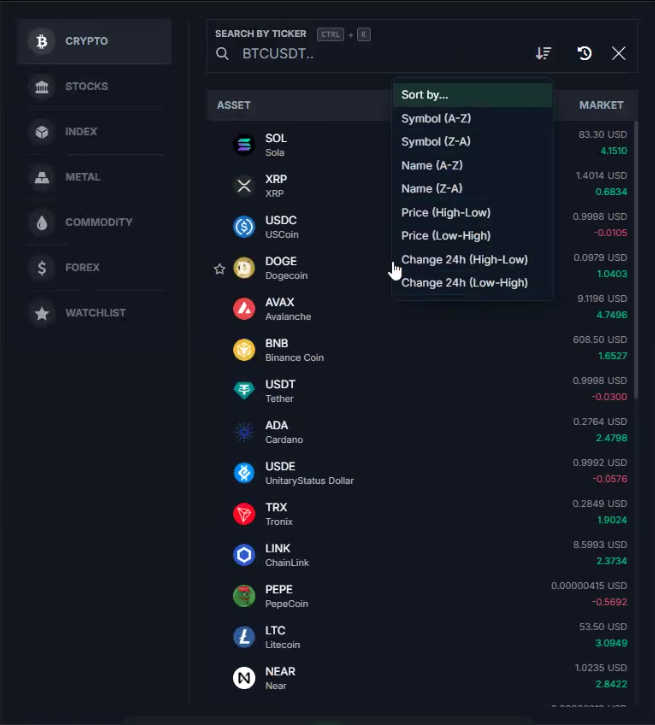
- Exchange Search: Added search functionality for exchanges
- Exchange Logos: Enhanced asset exchange display with logos
- Active Exchange Management: Improved handling of active exchanges
- Exchange Profile Integration: Better exchange display on user profiles
- Asset Widget Enhancement: Improved asset widget for new exchanges
Business Impact:
- Cleaner codebase with deprecated exchanges removed
- Better user experience with exchange search
- Improved visual presentation with exchange logos
- More reliable exchange data handling
🎨 User Interface & Experience Improvements
Dashboard Enhancements
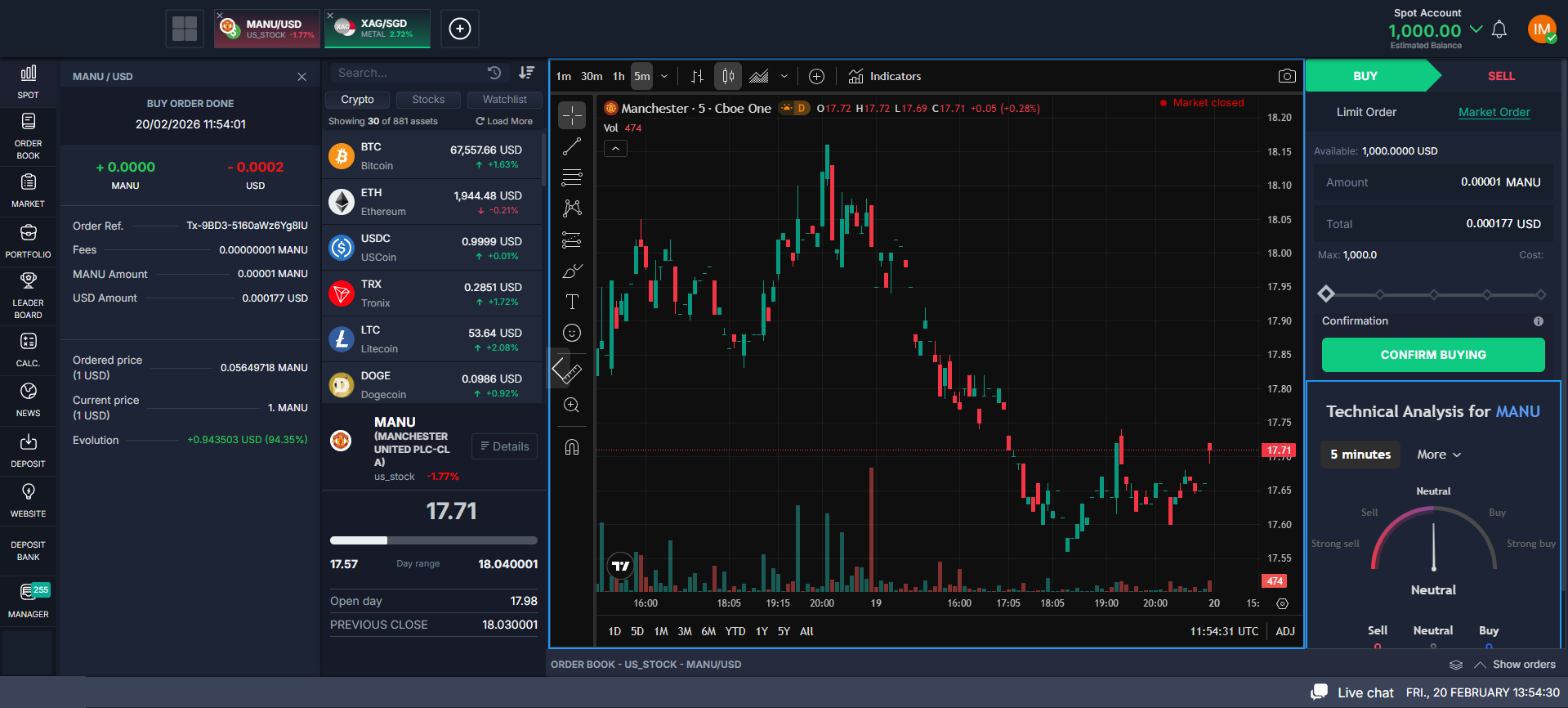
Multiple improvements to the trading dashboard for better usability.
Improvements:
- Trading UI Enhancement: Improved data attributes and button functionality
- Order Book Improvements: Enhanced getOrderBook action with comprehensive error handling
- Price Retrieval: Better error handling for price retrieval in balance widget and alerts
- Third-Party Exchange Optimization: Optimized handling for performance improvements
- Activity Updates: Improved timeout durations for activity updates
Business Impact:
- Better user experience with improved dashboard
- More reliable price data display
- Improved performance and responsiveness
Social Trading Enhancements
Continued improvements to social trading features.
Improvements:
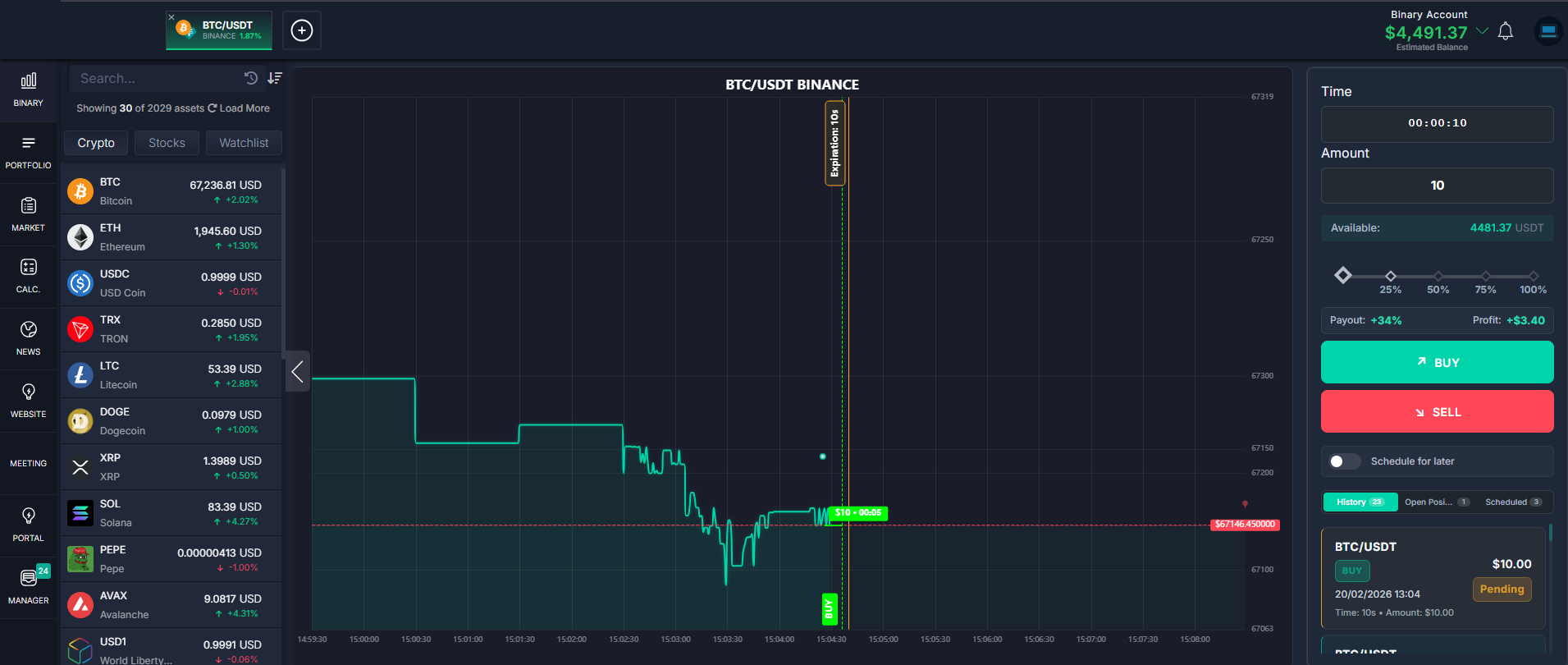
- Binary History: Enhanced binary history and positions management and better visual enhancement
Business Impact:
- Better social trading experience
- More reliable social features
UI/UX Polish
Multiple styling and interface improvements across the platform.
Improvements:
- Avatar Preset Mapping: Added avatar preset mapping function
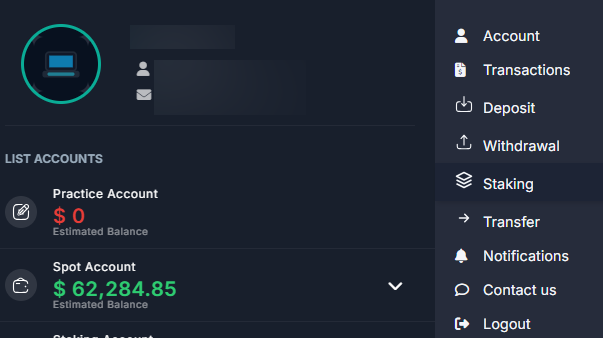
- Search Functionality: Added search recent in left menu
- Modal Improvements: Fixed open modal CTRL+K functionality
- Translation: Added multiple translations
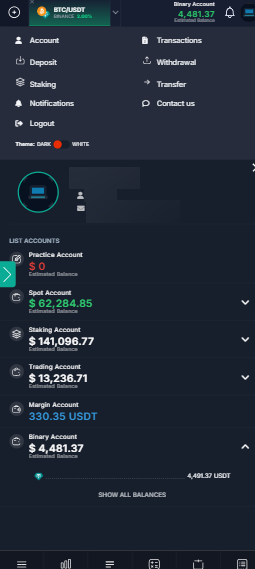
- Mobile Version: Fixed mobile version styling issues
- Information Styles: Improved information display styles
- Full Screen: Fixed full-screen mode styles
- Activity Buttons: Fixed activity button styles
Business Impact:
- More professional appearance
- Better mobile experience
- Improved usability across all devices
🔧 Trading System Improvements
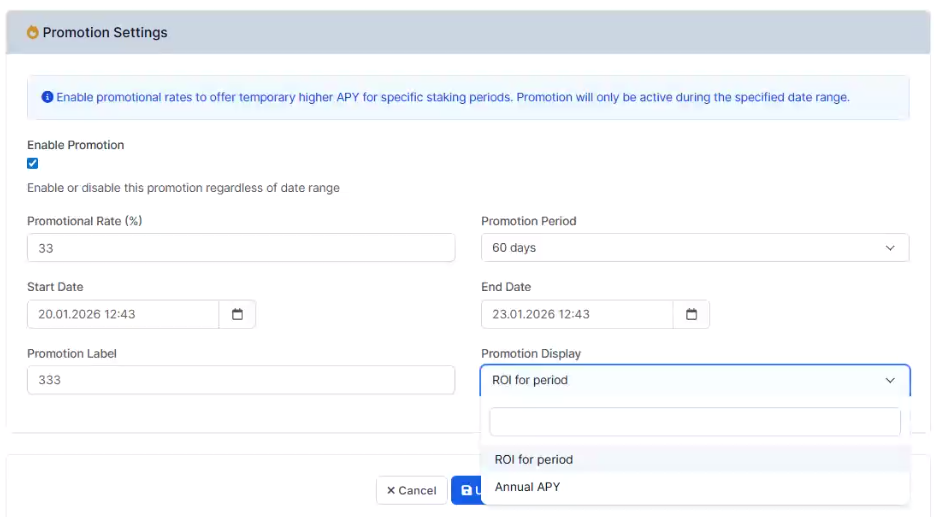
Staking Improvements
Enhanced staking module with new features and improvements.
Improvements:
-Promo Enable/Disable: Added ability to enable/disable promotional campaigns
- ROI Display: Added ROI display in staking
Business Impact:
- Better staking user experience
- More flexible promotional campaign management
---
Exchange & Asset Widget Improvements
Multiple improvements to exchange and asset display.
Improvements:
- Exchange Logo Size: Made exchange logos bigger on asset widget
- Asset Widget: Fixed asset widget for new exchanges
- Exchange Sync: Fixed exchange synchronization
- Price Changes: Fixed price change handling
- Market Loading: Fixed loading charts
- Search Functionality: Improved search functionality
Business Impact:
- Better visual presentation
- More reliable exchange data
- Improved user experience
📋 Summary for Your Operations Team
What You Need to Know:
1. Trading Overview: New comprehensive trading overview feature
2. CFD Configuration: Per-instrument spread and liquidation threshold configuration
3. Exchange Improvements: Removed Bittrex, added exchange search and logos
4. Staking Enhancements: Promotional campaigns, ROI display, and personal settings
5. TP/SL Improvements: Frontend validation and improved cron logic
6. Leaderboard Enhancements: Estimated value and converted balance display
7. UI/UX Improvements: Multiple styling and interface improvements
Recommended Actions:
- Review new trading overview feature
- Configure CFD spread and liquidation threshold settings
- Test staking promotional campaigns
- Verify exchange synchronization
- Review leaderboard improvements
- Test TP/SL frontend validation
- Explore new UI/UX enhancements
🚀 Next Steps
We continue to work on:
- Additional security enhancements
- Performance optimizations
- More trading features
- Enhanced analytics and reporting
- Additional exchange integrations
- Mobile app improvements
📞 Support & Documentation
For technical documentation or support questions:
- Check admin panel for new configuration options
- Contact our support team for assistance
📊 Release Statistics
Time Period: January 1, 2026 - January 31, 2026 (31 days)
Major Updates:
- 10+ major features and improvements
- 30+ bug fixes and enhancements
- Multiple UI/UX improvements
Files Changed:
- 80+ files modified
- Multiple UI/UX improvements
- Enhanced admin interfaces
Release Date: January 31, 2026
Version: Latest (based on commits merged to master from January 1-31, 2026)
Thank you for being valued partners. We're committed to continuously improving the platform to help you grow your business.
The Development Team