CRM Features and Updates
NanzaAI Updates
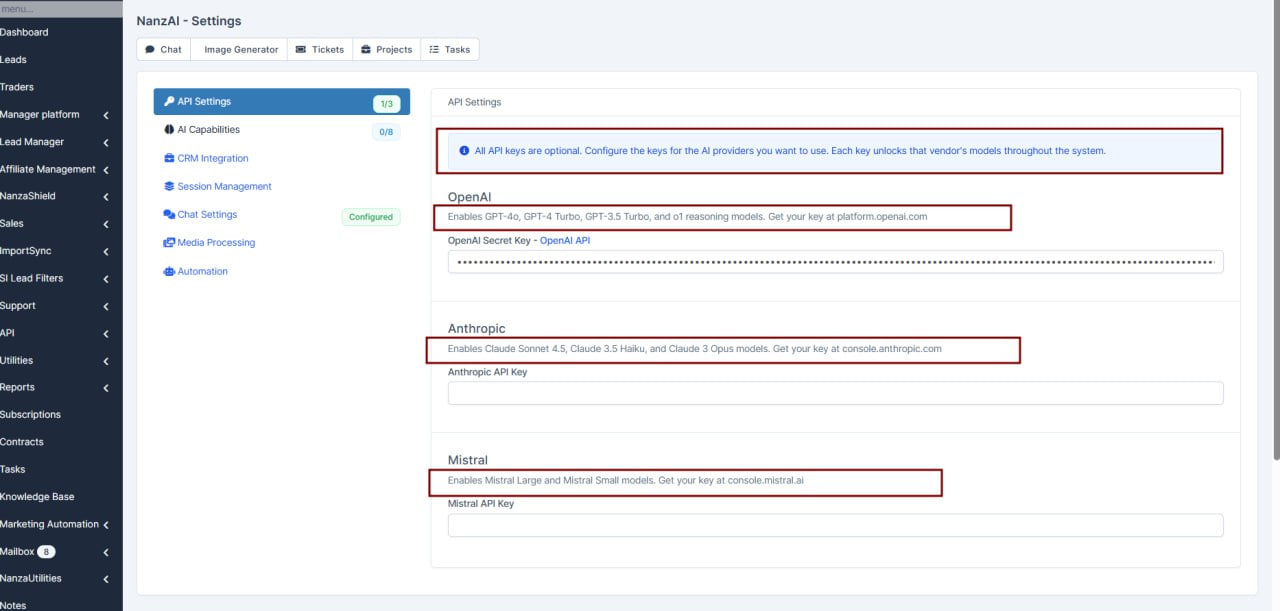
NanzaAI-> Settings
What was added: added more description on the API Settings page
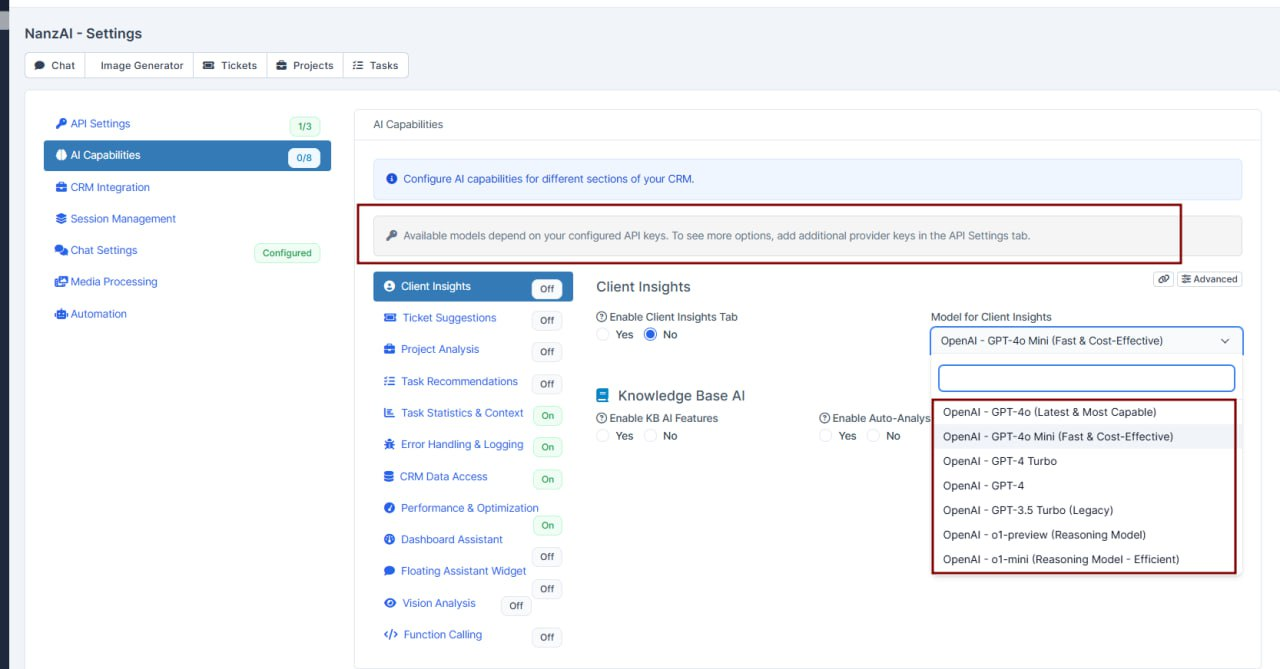
Now available models are related to provided API keys
Also added small description that you can add more models by providing additional api keys
Trader Settings Enhancements
Setup- Clients/Traders-> Trader Presets Settings
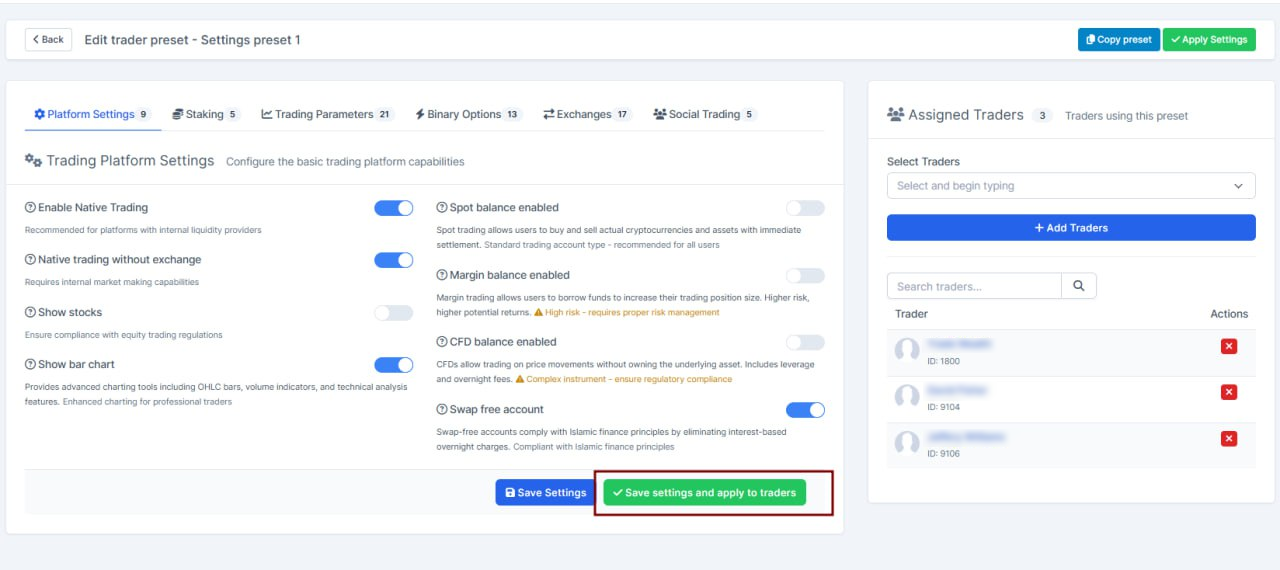
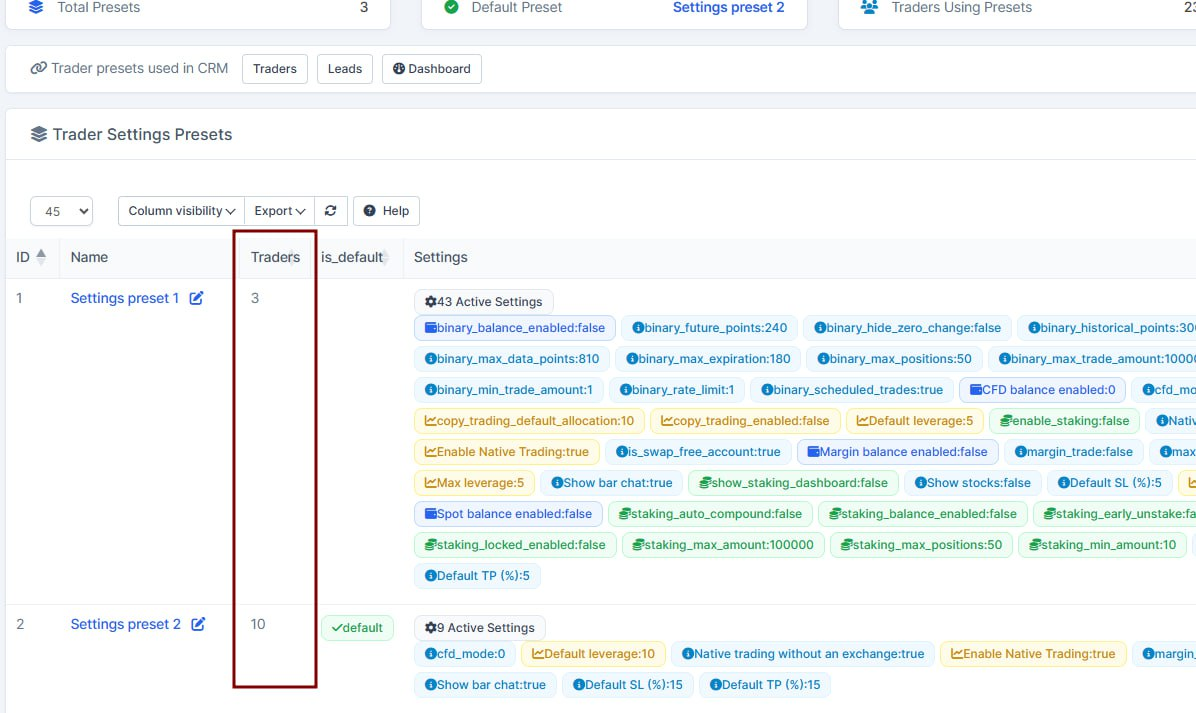
What was added: on the trader presets settings
added "save and apply" btn - to apply the settings to traders on edit
added "traders" column on the traders presets table - show how many traders are in this preset
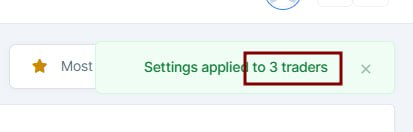
when applying the preset - updated the notification, to show how many traders was processed
Language Settings Enhancements
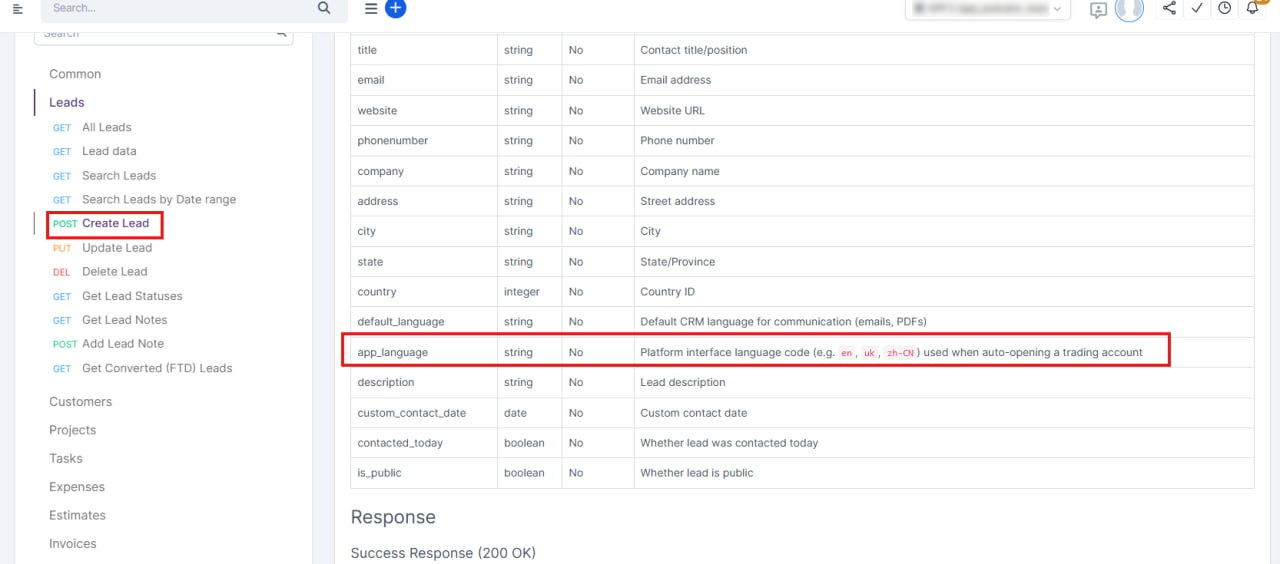
1. Setup-> Settings-> API-> open the API link
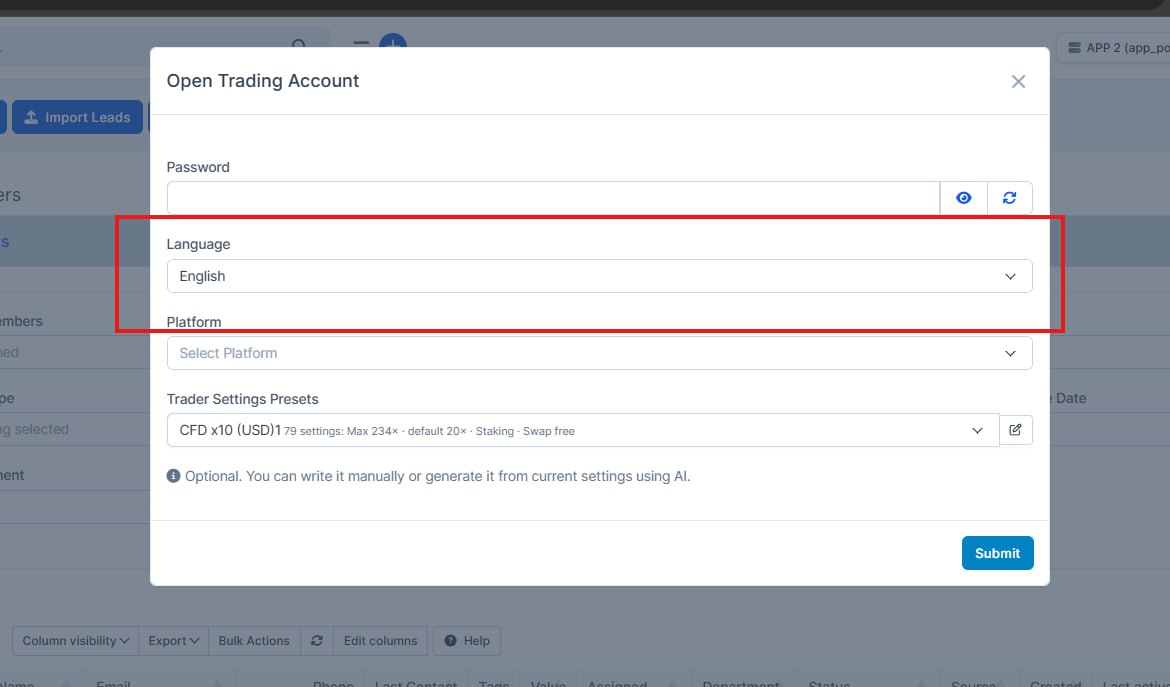
2. Leads-> Open the Trading account
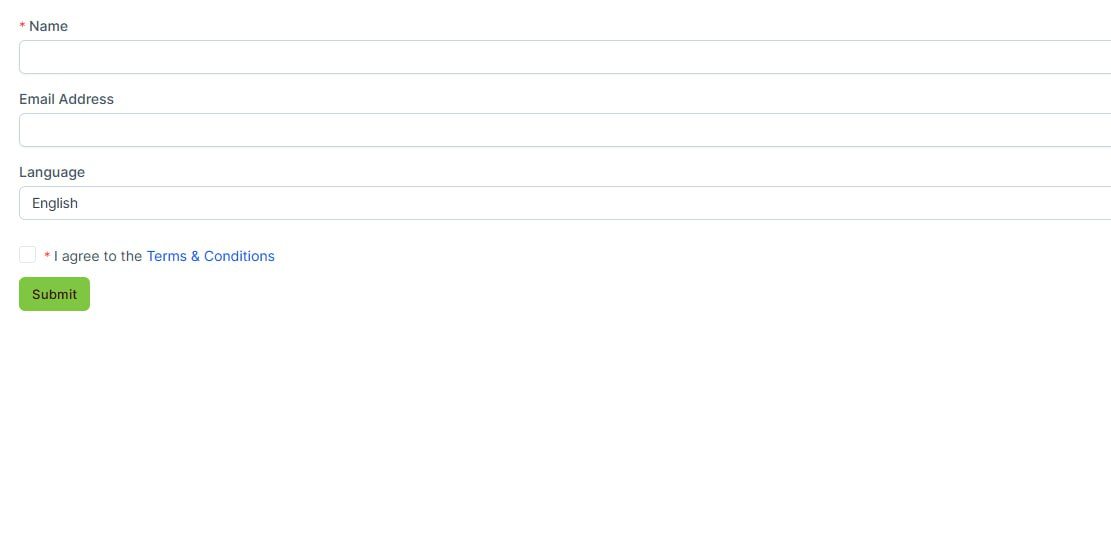
3. Setup-> Leads-> Web to Lead-> Registration-> Form Information & Setup-> General- Language
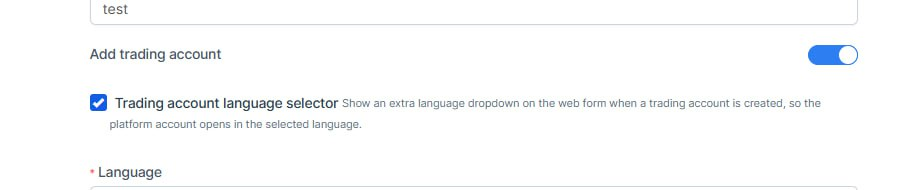
What was added: When opening a trading account, the option to select the trader's language has been added.
This parameter has also been added to the API.
In web_to_lead, when you activate an open trading account, you can add a language selector to choose the language in which the trading account will be opened.
1. 
2. 
3. 
Muliplatform Updates
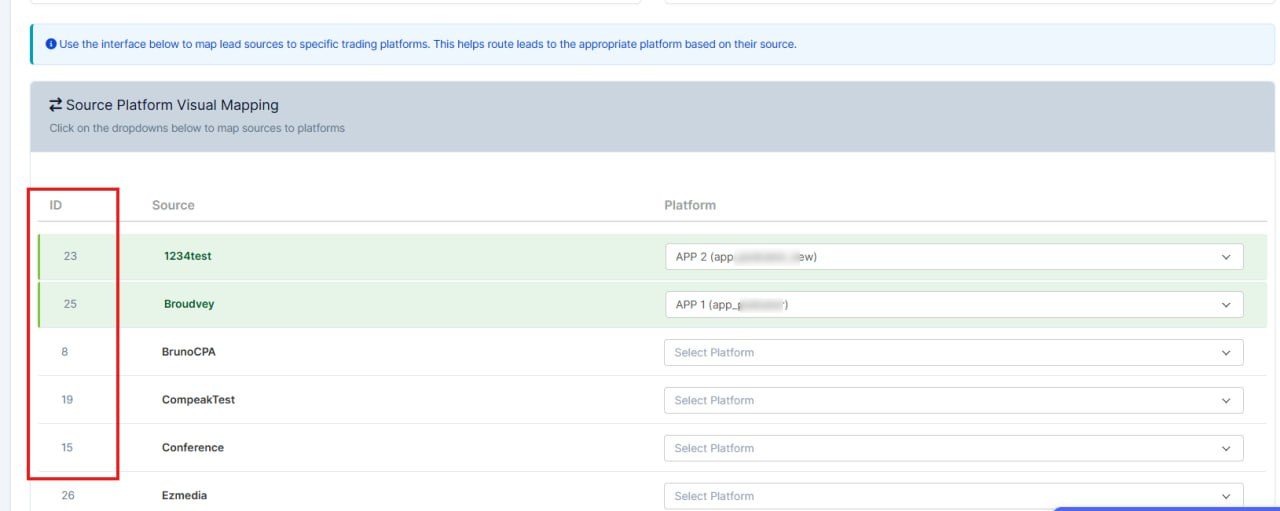
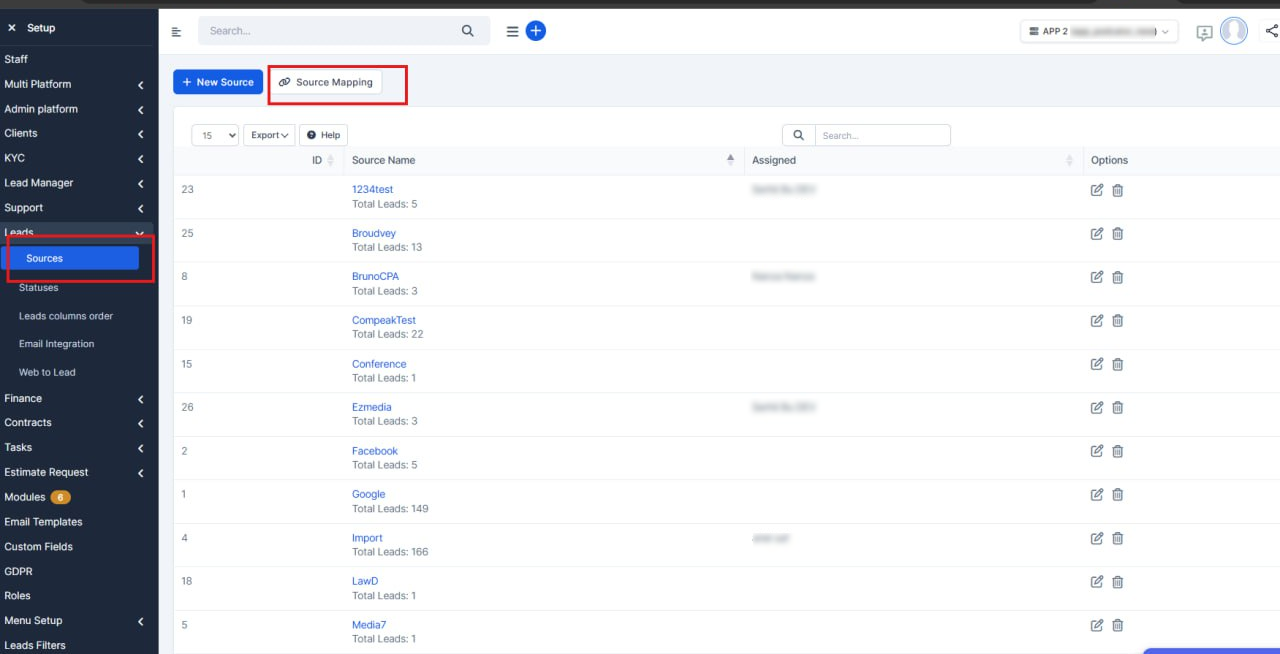
Setup-> Sources-> Source Mapping
What was added:
1. Added a button to the source mapping only for multi-platform.
2. Added an ID column to Source Platform Mapping. When sending via API, you can easily view this source ID.
Positions Threshold Update
Manager Platform-> Trading-> CFD positions-> Choose the order-> Edit
What was added:
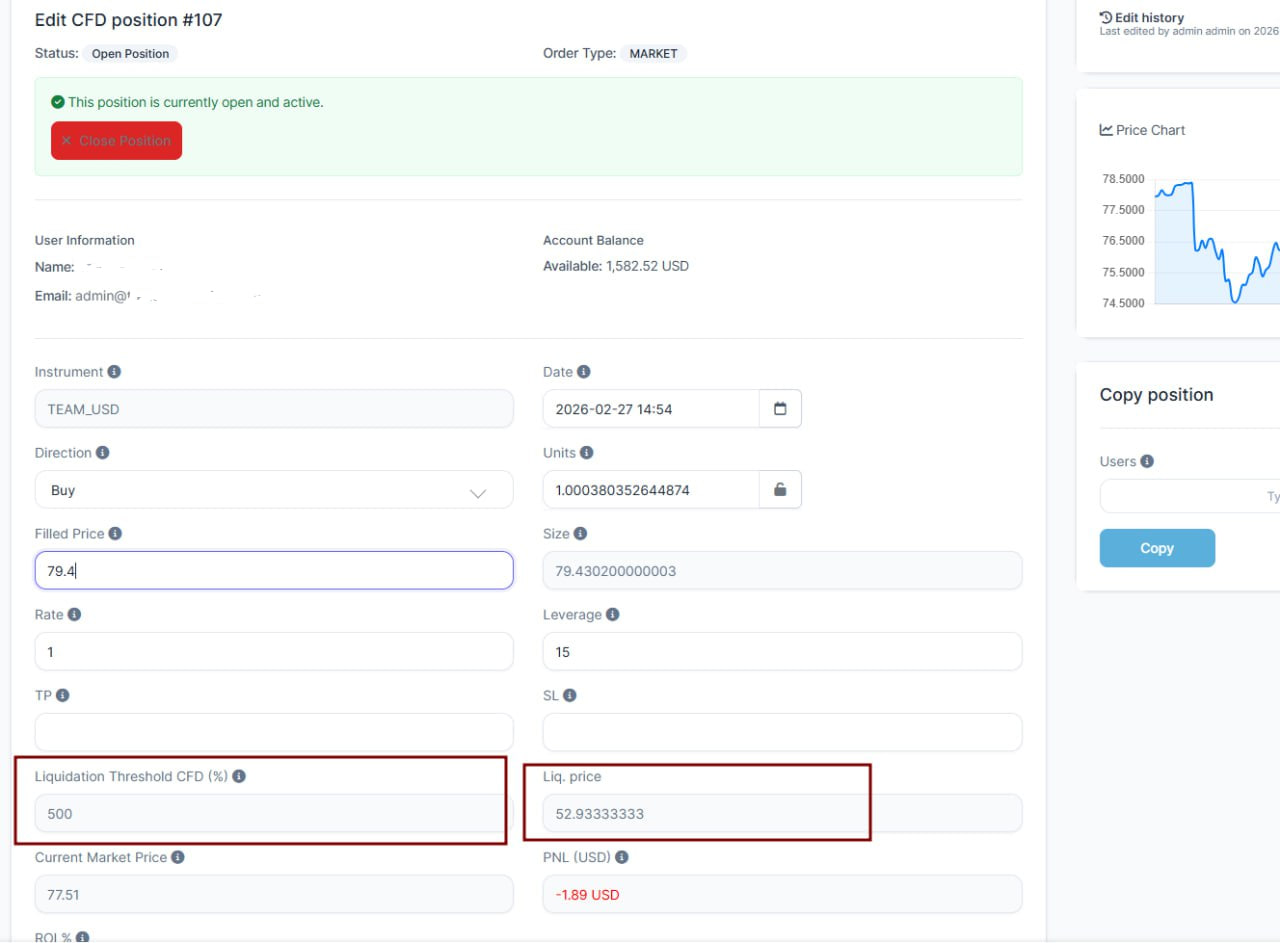
on the Edit CFD position form
added the Liquidation threshold (to show the user what threshold gonna be used for this position)
added Liquidation price (to show the user what it gonna be)
liquidation price is recalculated live, when user changes the price
KYC Updates
What was added:
Added a new KYC step type for camera capture: Webcamera photo (selfie).
Kept backend logic consistent: this type is stored as document with a camera flag (allow_cam_identity_step), while regular upload uses the same type with opposite flag.
Refactored step type options from hardcoded view data to model + translation keys (EN/FR/DE/ES).
Added a new Identity Step Type column in KYC steps table and fixed empty values by wiring data in the correct platform_settings controller flow (including AJAX tab load).
Fixed frontend console error caused by autocomplete conflict and set sidebar search input to autocomplete="off" safely.
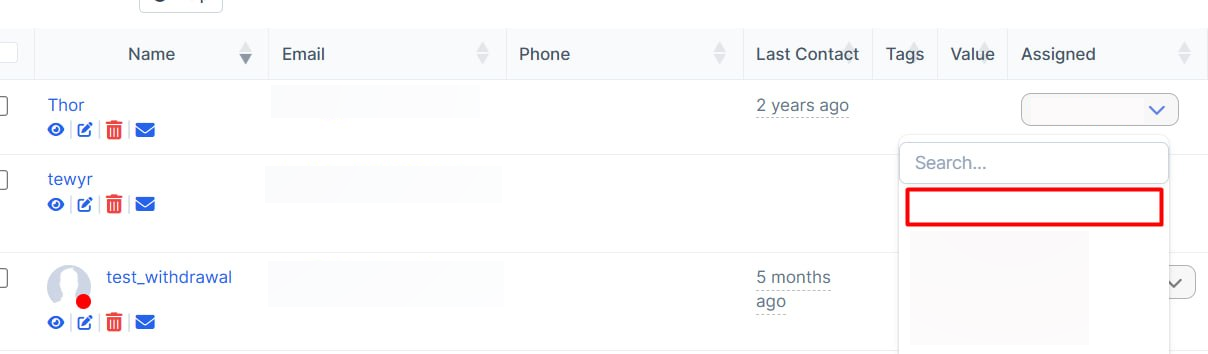
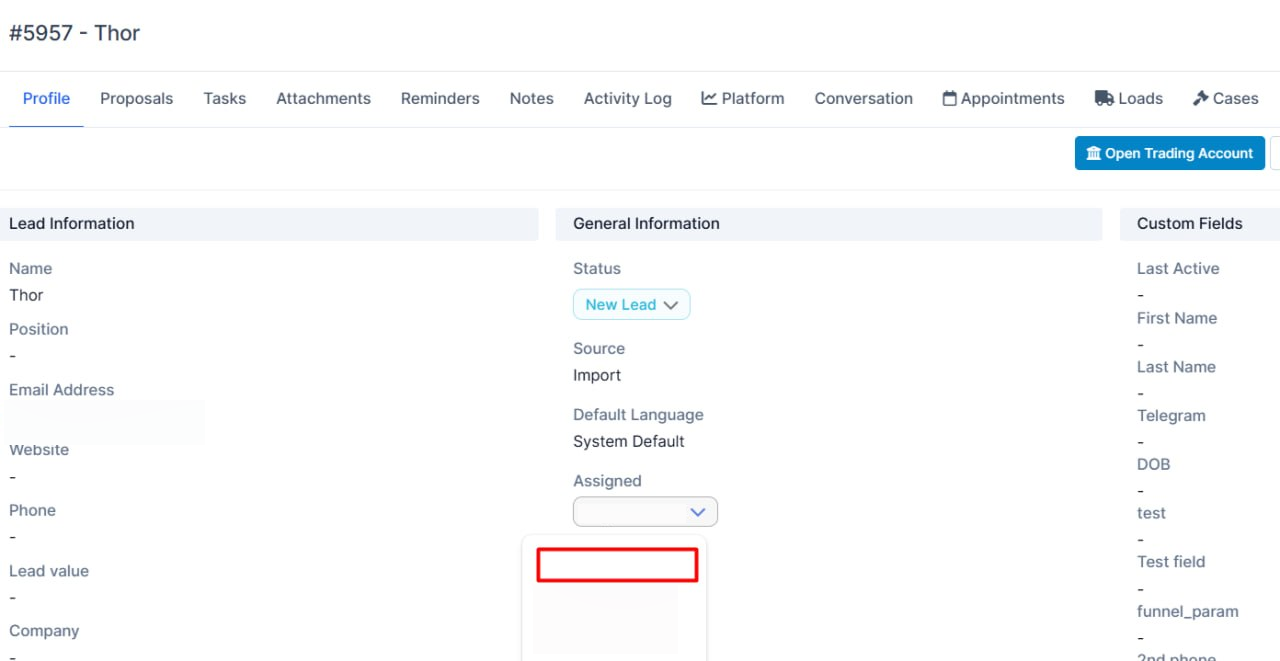
Zero Field for the Leads Assign
What was added: Added empty row for unassign staff in leads table and leads view
Bug Fix
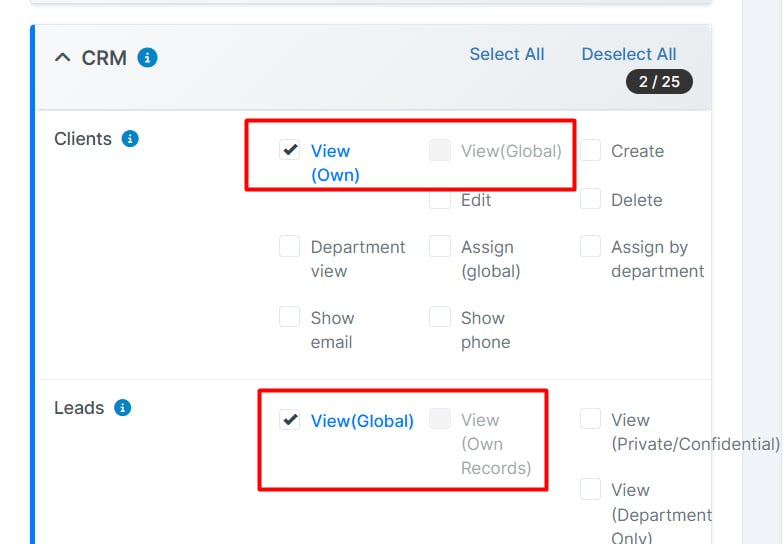
What was added: Disabled to select both view and view_own permissions at the same time
Also deleted pattern View+View Own
Platform Features and Updates
Scroll Added
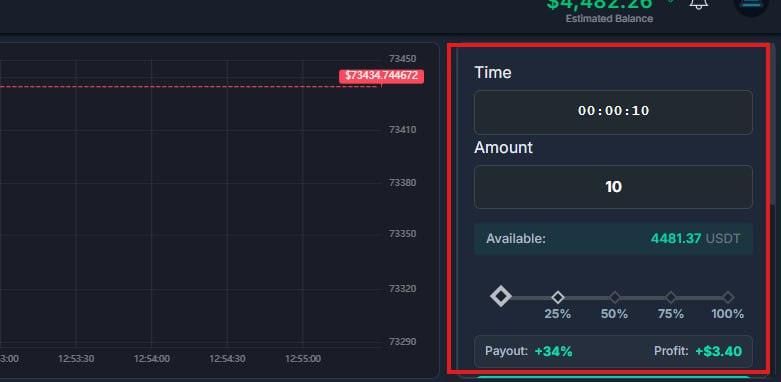
Binary account on the platform
What was added:
The appearance of the right block in the binary has been changed (scroll added)
General Updates
1) Trading Dashboard and Market Analysis
Web path: `Dashboard` -> trading widgets / charts / order book
What was added:
- TP/SL behavior is more stable in chart interactions.
- Order book and price loading are more resilient when external price sources fail.
- Market analysis dashboard has small behavior fixes for smoother use.
2) Staking (User + Admin)
Web path (user): `Dashboard` -> `Staking`
Web path (admin): `Admin` -> `Staking Assets`
What was added:
- Staking promotions were added/expanded.
- Staking personal settings and dashboard behavior were improved.
- Scheduled staking operations run more efficiently in background jobs.
3) Social Trading and Leaderboard
Web path: `Social Trading` -> `Leaderboard` / `Copy Management`
What was added:
- Leaderboard logic and visuals are cleaner and more consistent.
- Copy management and social page styles were refined.
4) Exchanges and Wallet Networks
Web path: `Profile/Settings` -> `Exchanges`
Web path: `Wallet` -> `Deposit` / `Address`
What was added:
- Exchange connection and sync flow became more stable.
- OneTrading exchange was removed from active options.
- XRP network options are available in wallet/deposit flow.
- Asset widget exchange logos are now more readable.
5) Dashboard Wallet Top Area
Web path: `Dashboard` -> wallet top panel / quick account area
What was added:
- Wallet top block and related quick panels received UX and display improvements.
March
CRM Features and Updates
CFD Edit Form Fixes
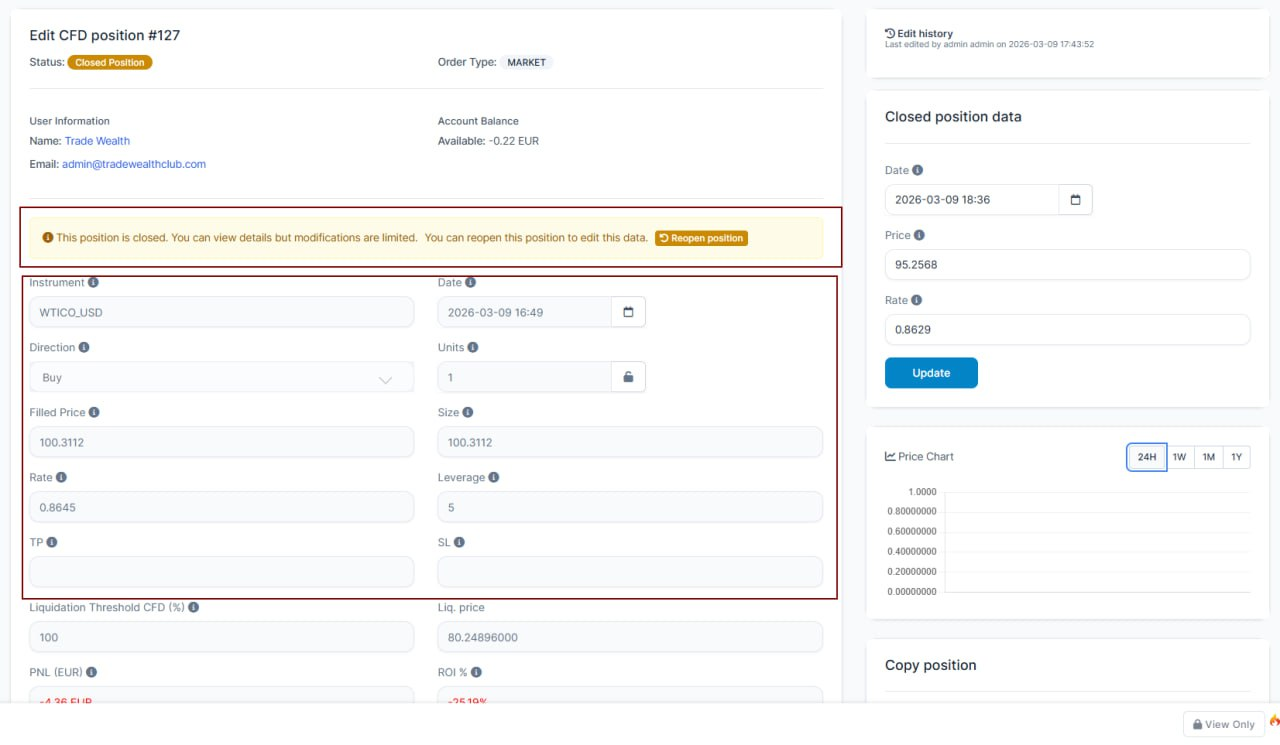
What's new: Fixed cfd form (for closed positions), inactive fields are disabled, added notification and "reopen" button.
Zero Filter Option on Traders
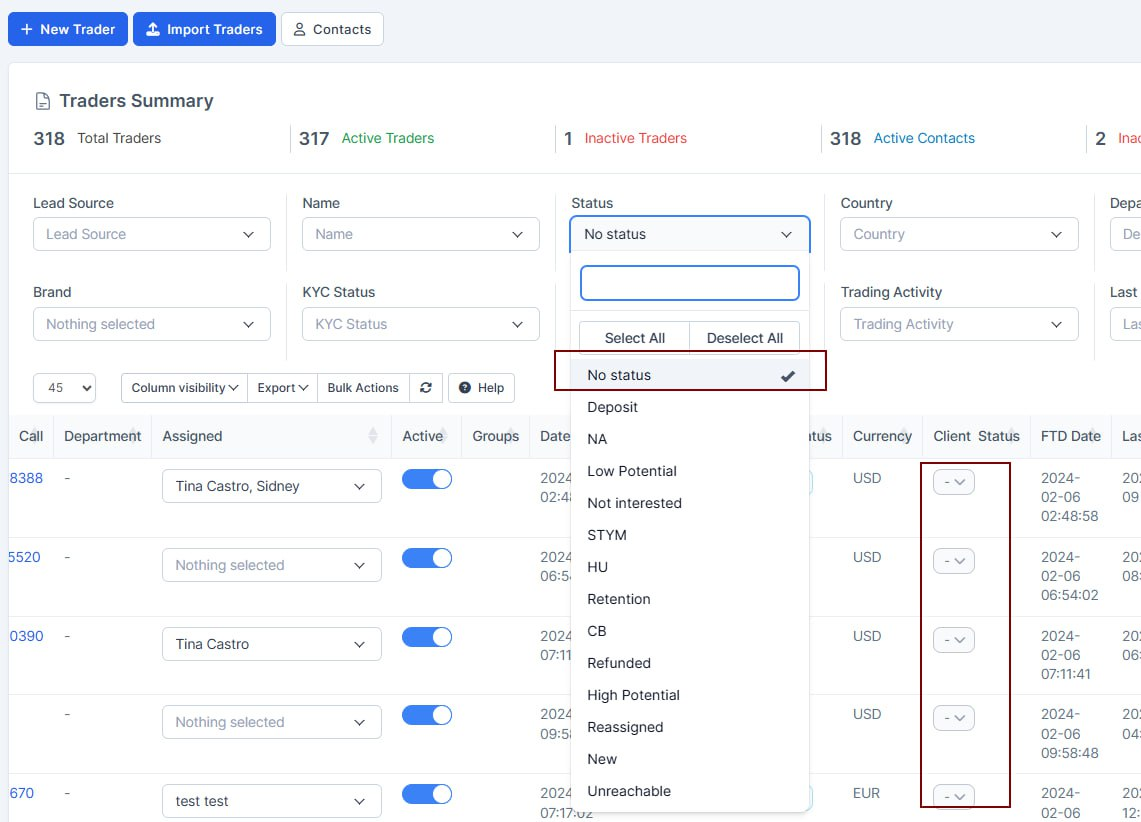
What's new: On the Traders table, there is new option added to the status filter, now you have "No status" option, which gonna select all the traders that have no status selected.
Departments Display Statistics
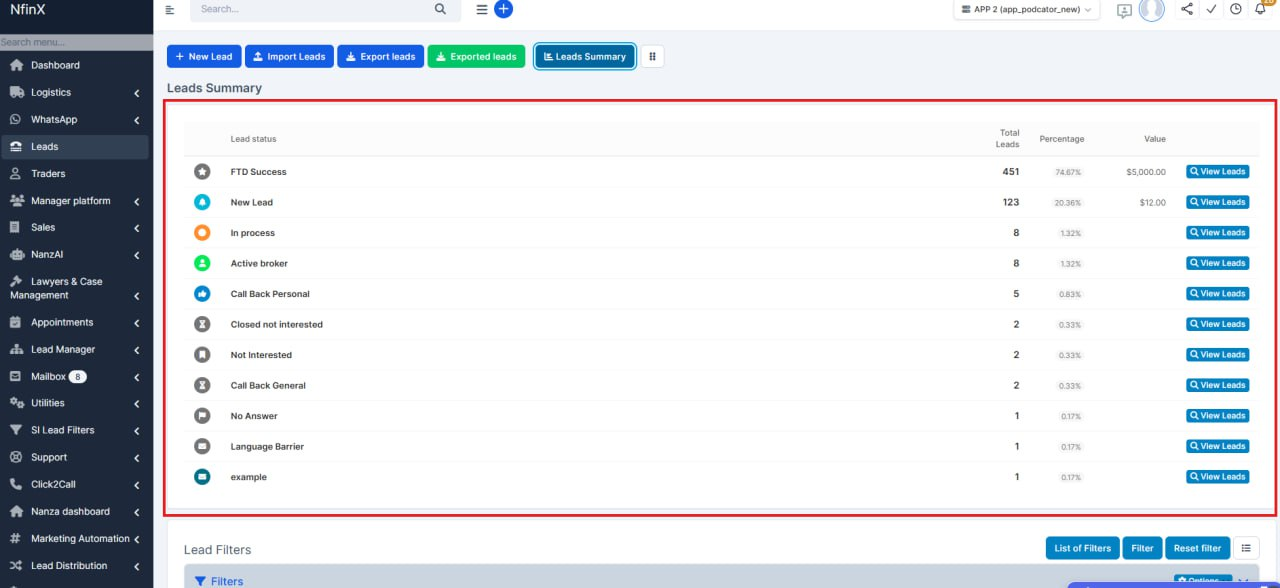
What's new: The display of statistics for departments has been fixed. The total number of leads has been corrected.
Withdrawal Bank Details
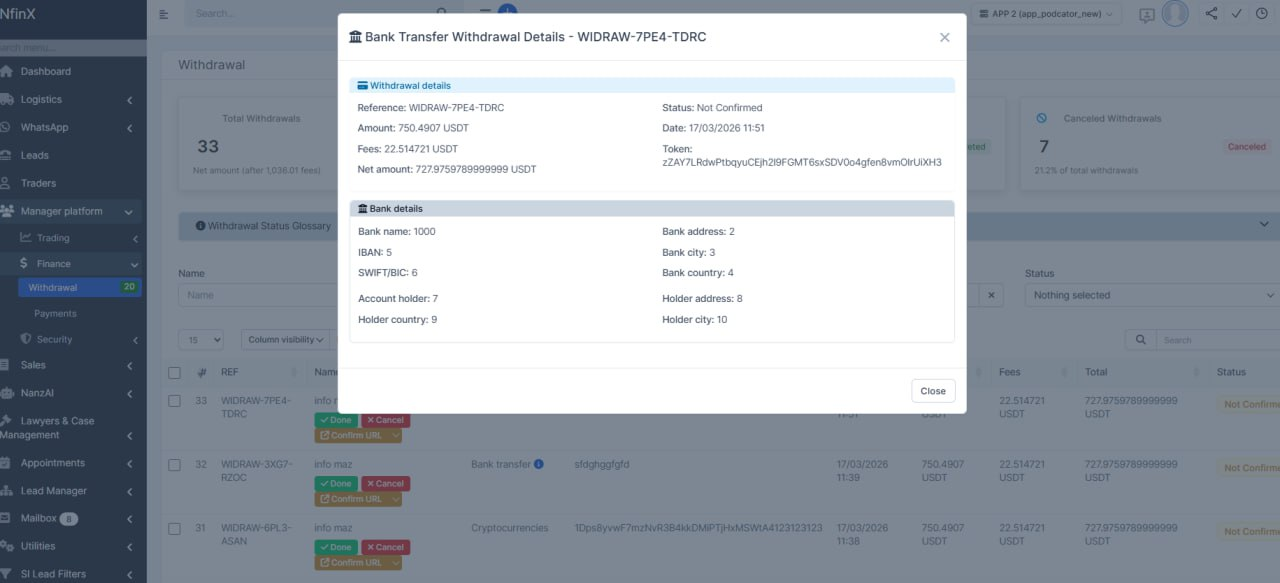
What's new: In the “Withdrawal” method (Bank Transfer), the ability to display complete bank information for this transaction has been fixed.
2 FA Selector
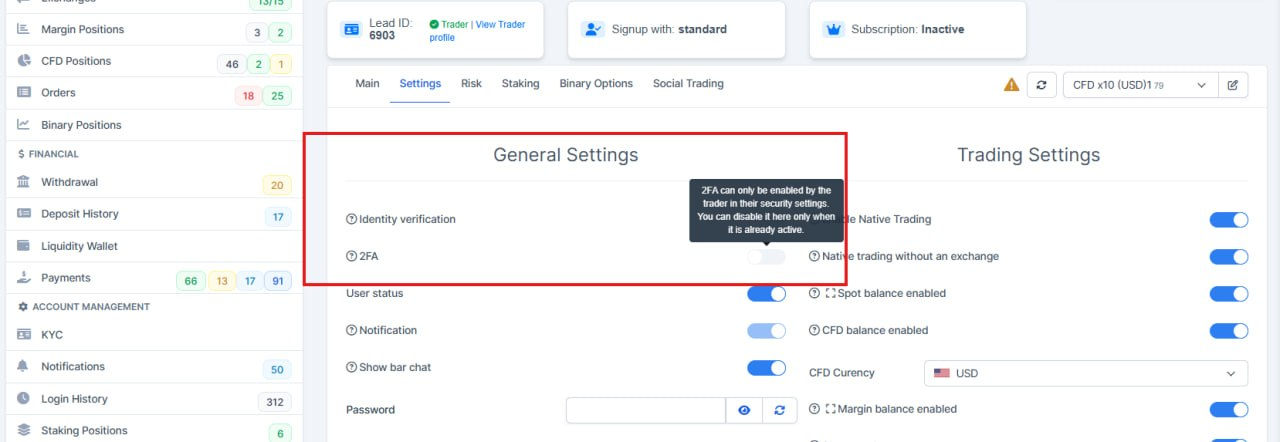
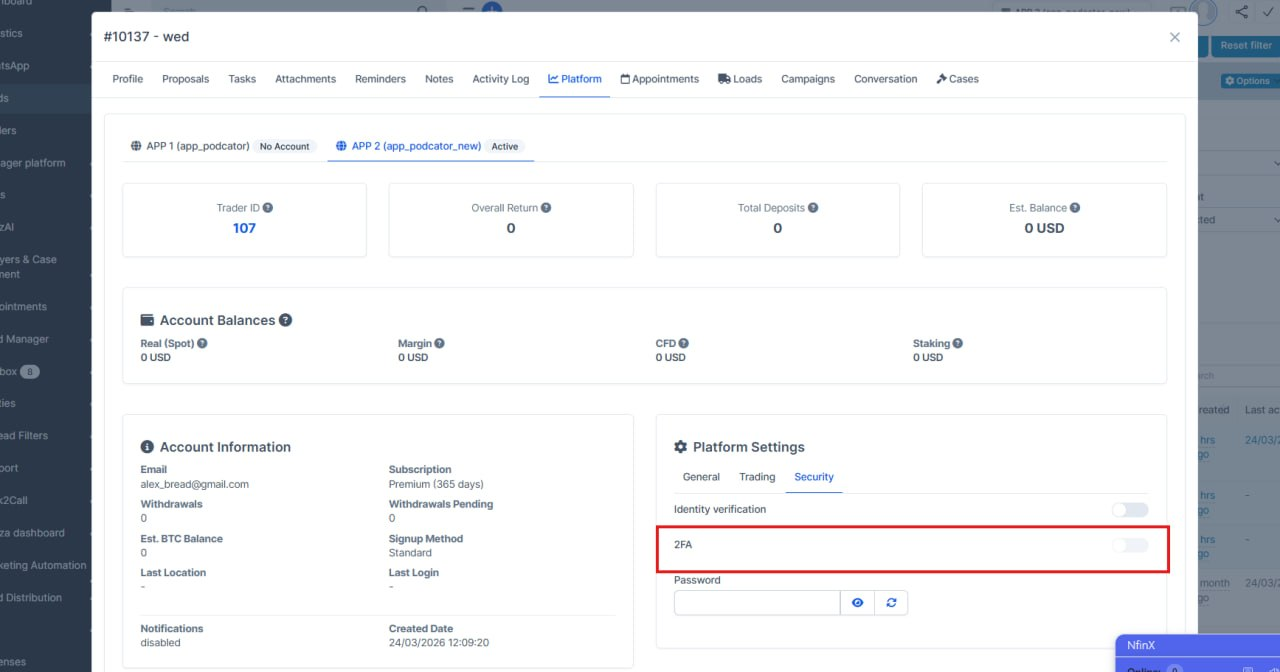
What's new: On the Settings → Summary page, the 2FA selector has been fixed. It is now only possible to disable 2FA; enabling it is not available. A tooltip has been added to clearly explain this behavior. The same update has also been applied to Lead —> Platform
KYC Form Corrections
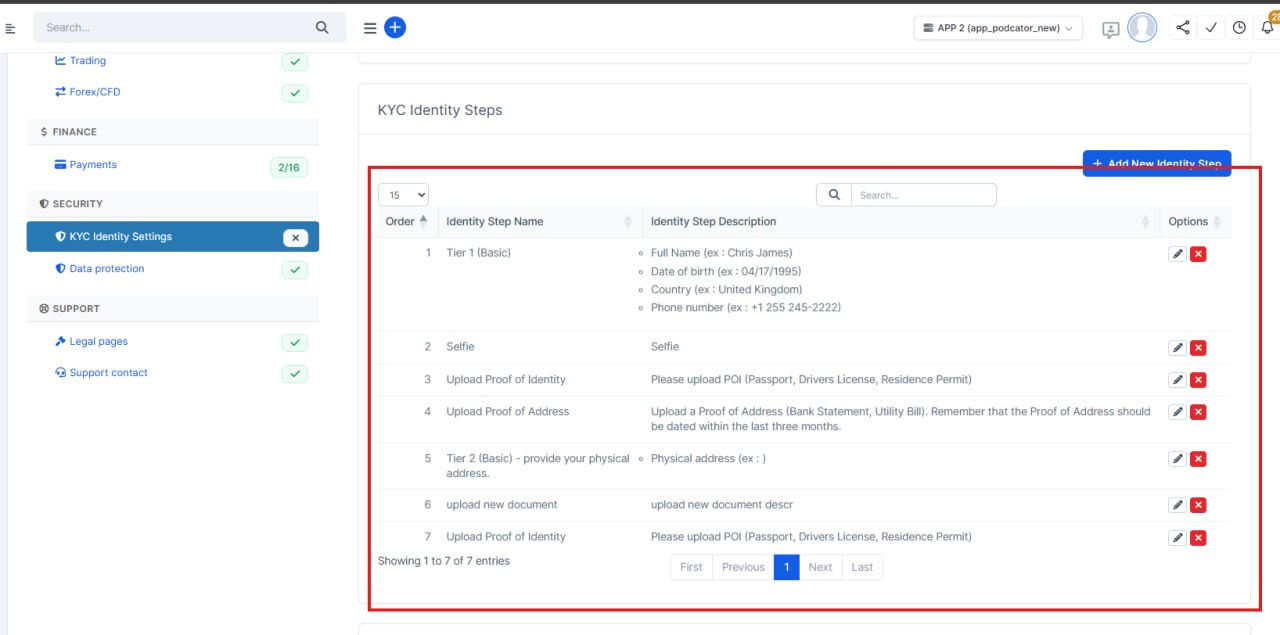
What's new: Fixed adding/removing with the correct position, which no longer breaks the platform.
- When adding a new step identity, the last number appears (not 0)
- When changing the position, the actual position is displayed in real time
- Added an alert for any action (settings successfully saved)
Templates Fixes
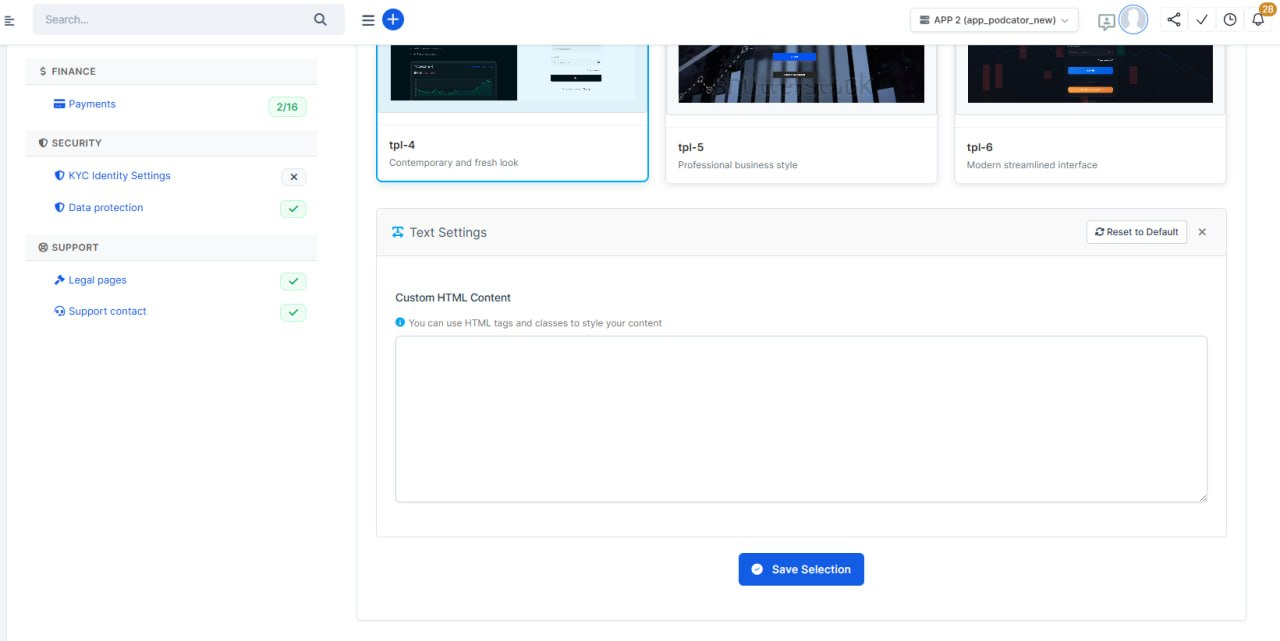
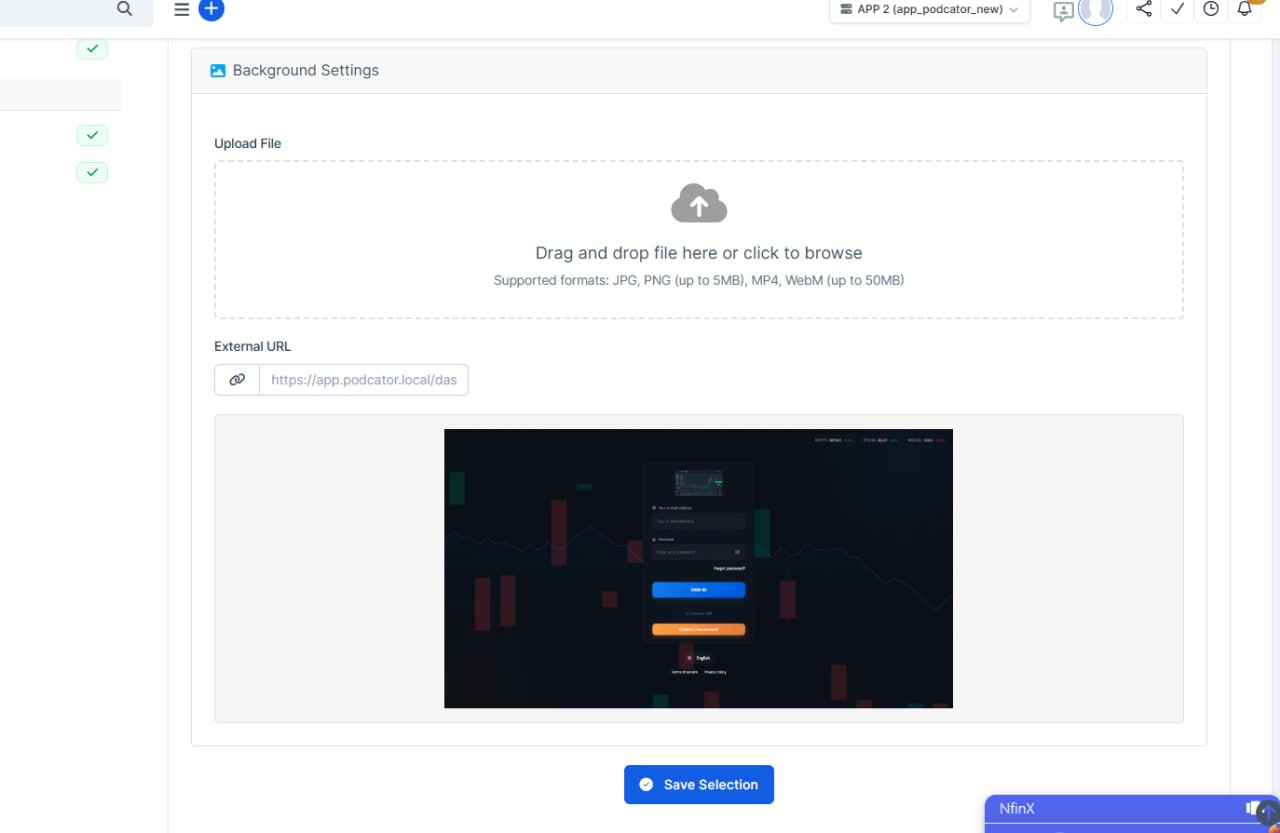
What's new: On the Settings → Setup → Platform Settings → Login page, the issue with background file uploads has been fixed. Additionally, an issue where switching between TPL-5 and TPL-4 caused unrelated settings to be displayed has been resolved.
API Features
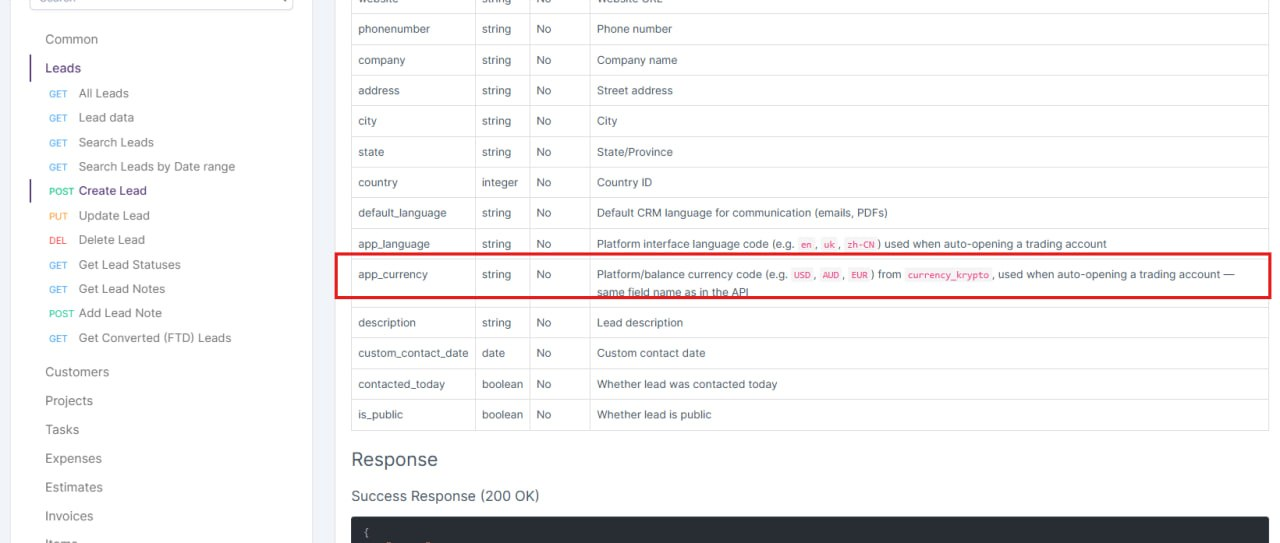
What's new: Added the ability to pass a specific currency when opening a trading account via the API (if this feature is enabled). According to the documentation, the currency should be provided in uppercase. However, lowercase values are also supported and will be processed correctly. If an unknown or unsupported currency is provided (i.e., not found in the database), the account will be opened with the default currency — USD.
Leads Bug Fix
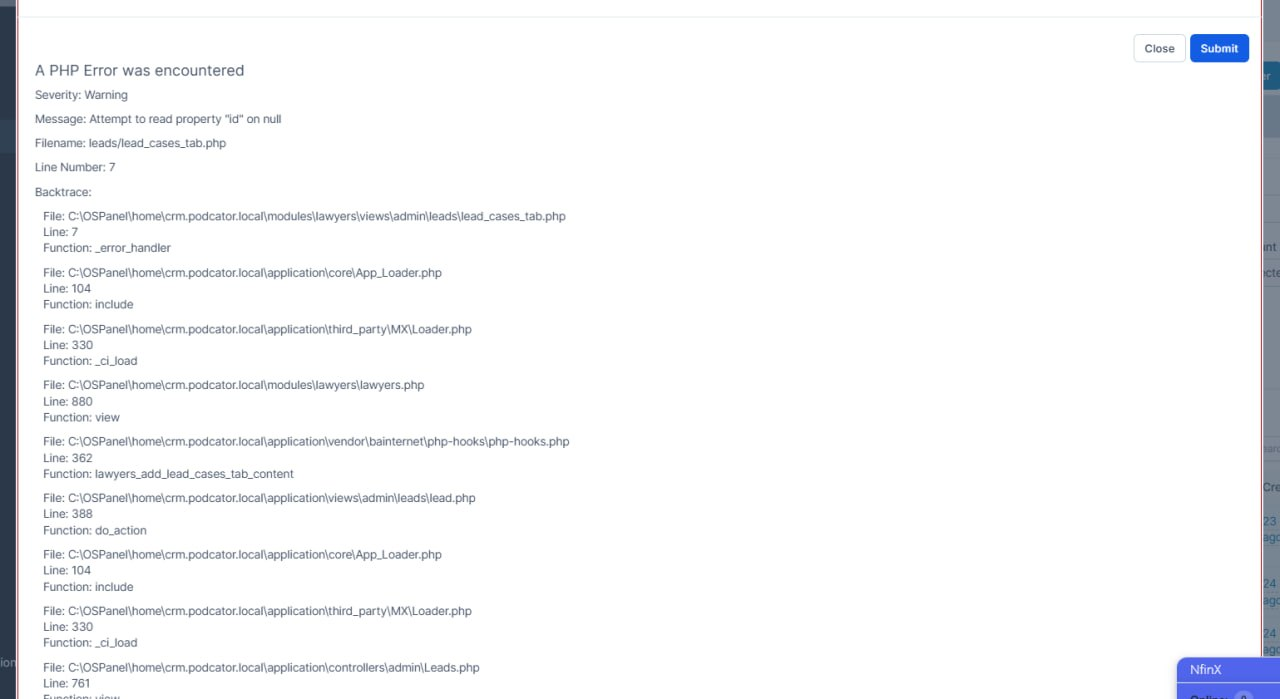
What's new: Fixed a bug (which occurred when the dev mode was enabled) when creating a new lead.
Last Name Bug on Traders
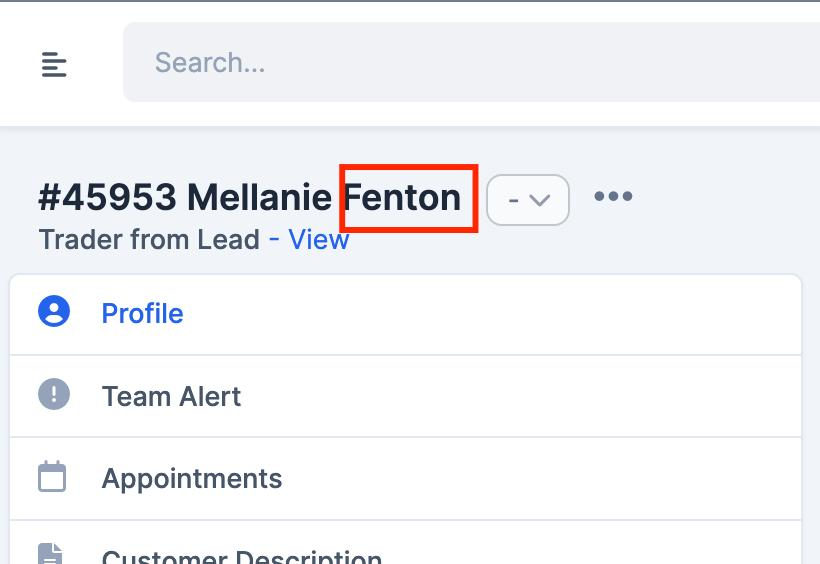
What's new: When converting a Lead to a Trader/Client, the contact was created with only the first name.
The last name was entered in the form, but it was not passed into the conversion data. I fixed it by adding lastname to the data mapping in application/helpers/leads_helper.php. Now both first name and last name are saved correctly for the created contact.
Deposit Template Variants
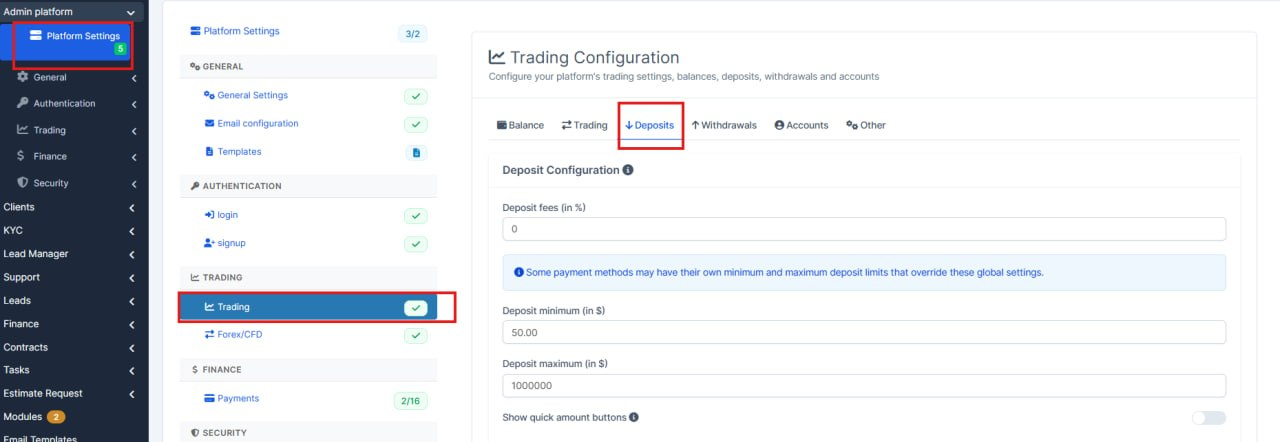
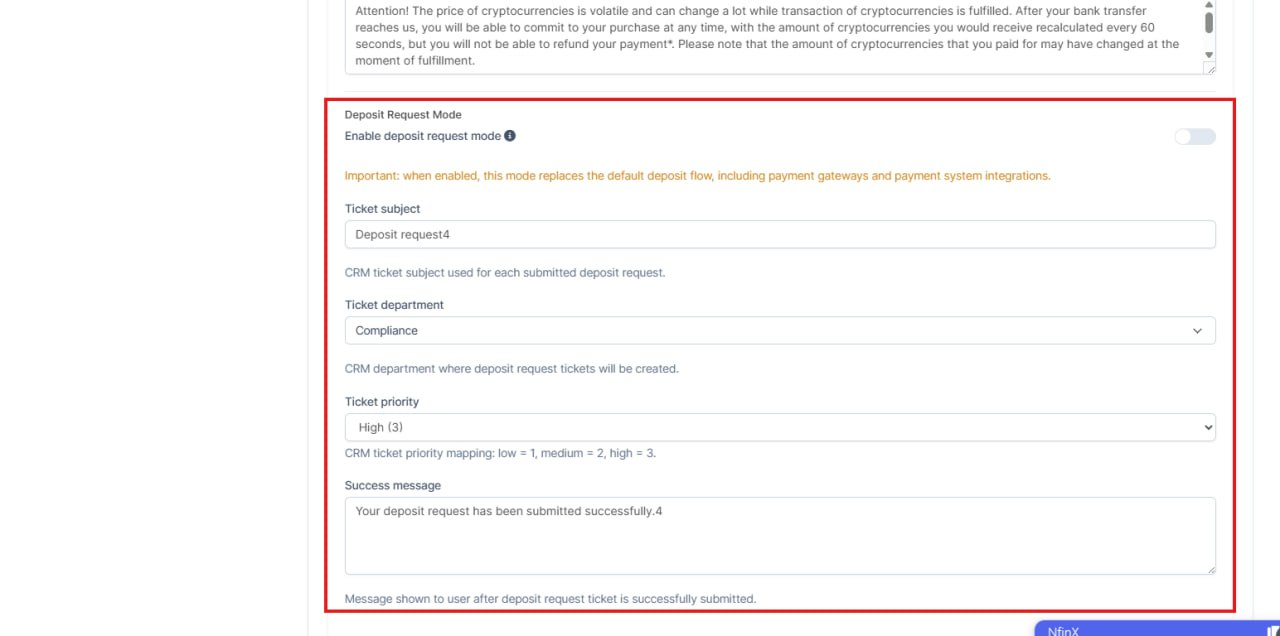
What's new: added another variant of Deposit form. The same functionality has been added to CRM. See Deposit Template Variants on the platform.
Platform Features and Updates
General Calculations Examples
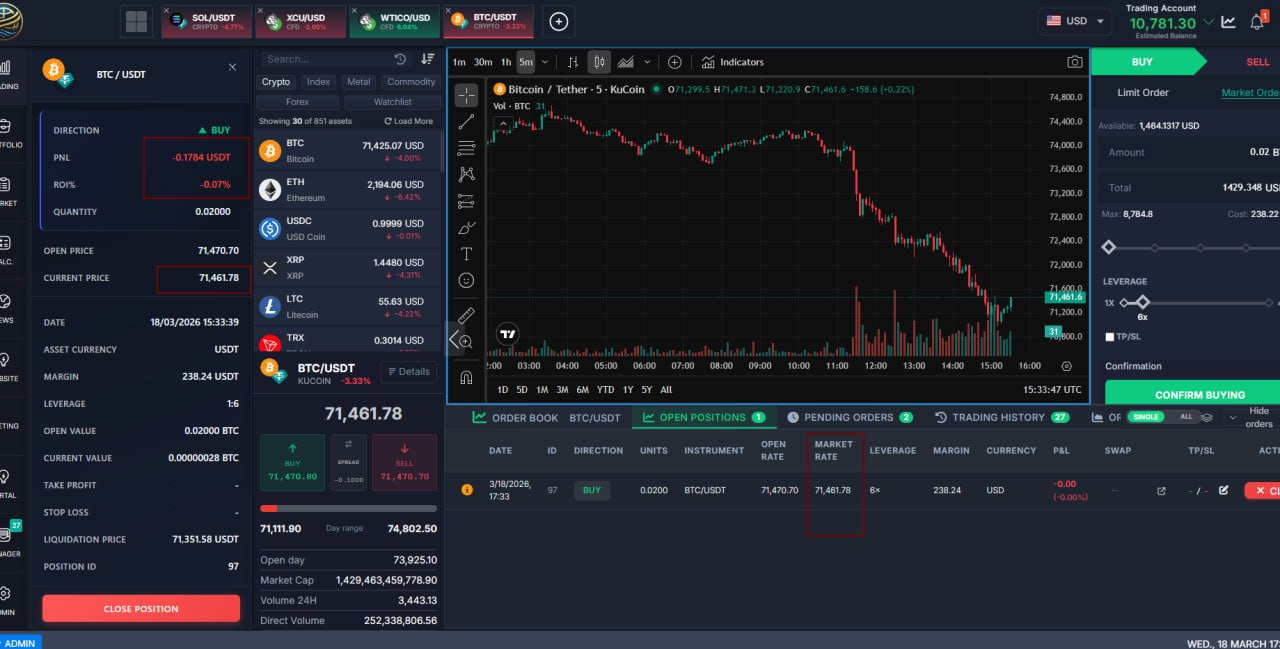
What's new: Prices updates / pnl / roi live, instead of keeping it static.
For the position close confirmation popup, the position info block, the position manager positions list, added live price / pnl / roi update/recalculation. With this, the actual close price and actual pnl when user closes position should be really close to what he see when clicking "confirm close"
Equity Calculation Fixes
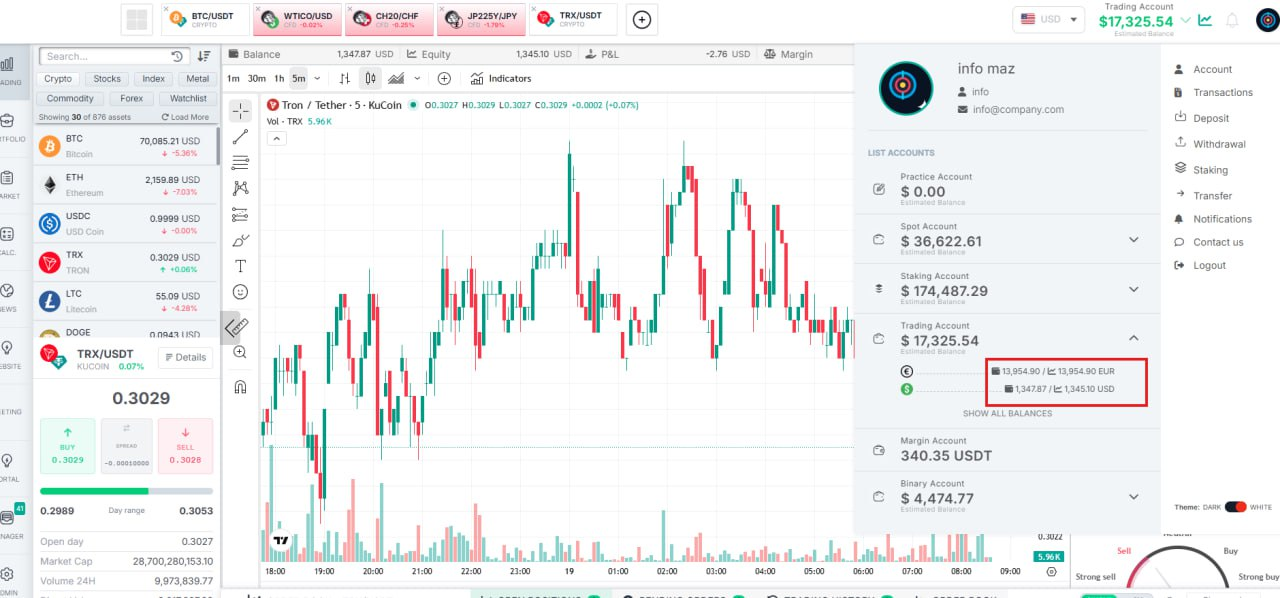
What's new: Updated in the Equity balances; added a tooltip and icon for greater clarity

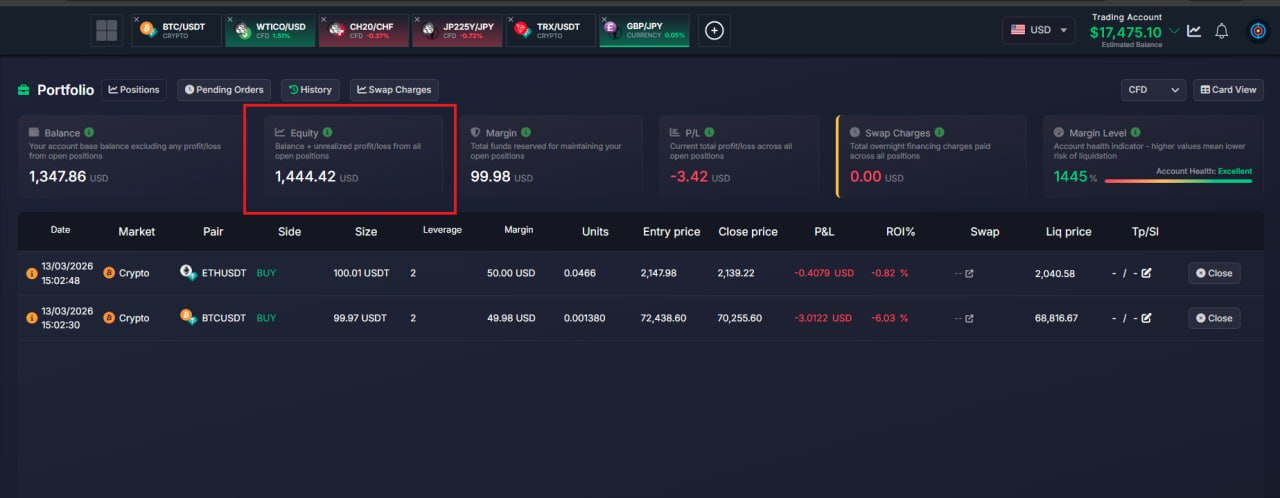
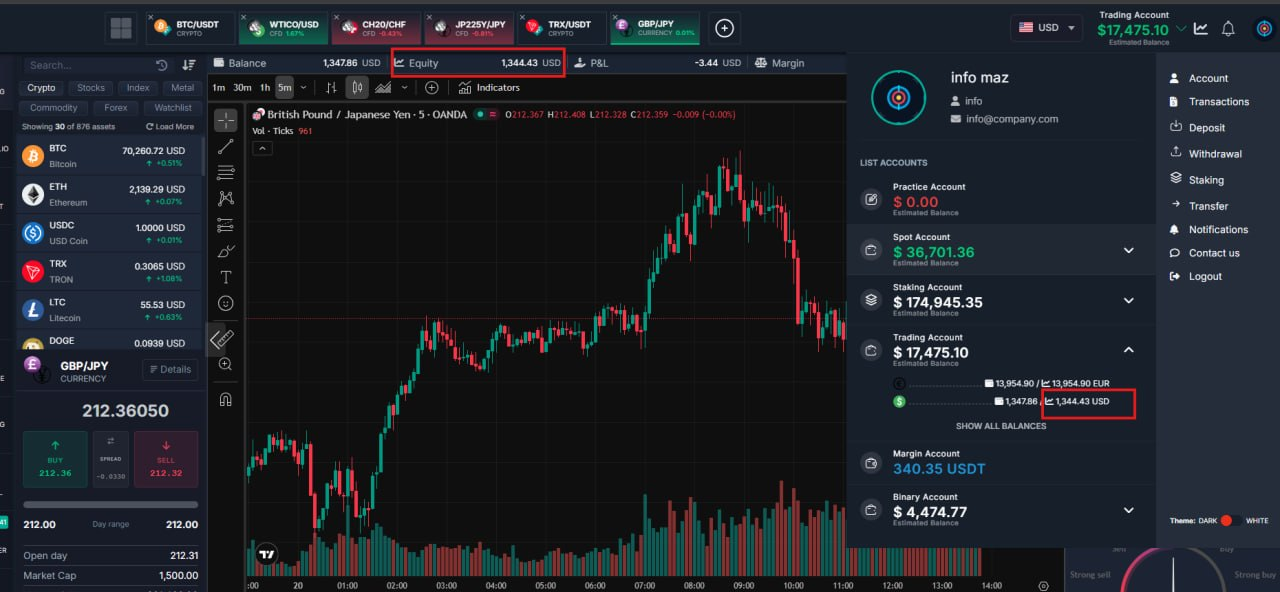
What's new: - Fixed Equity synchronization (Balance + Margin + P&L) (Balance now includes swaps) in the portfolio widget
- Fixed the calculation label in the portfolio
- Fixed the issue where the widget opened without reloading the page
Updated Language Files
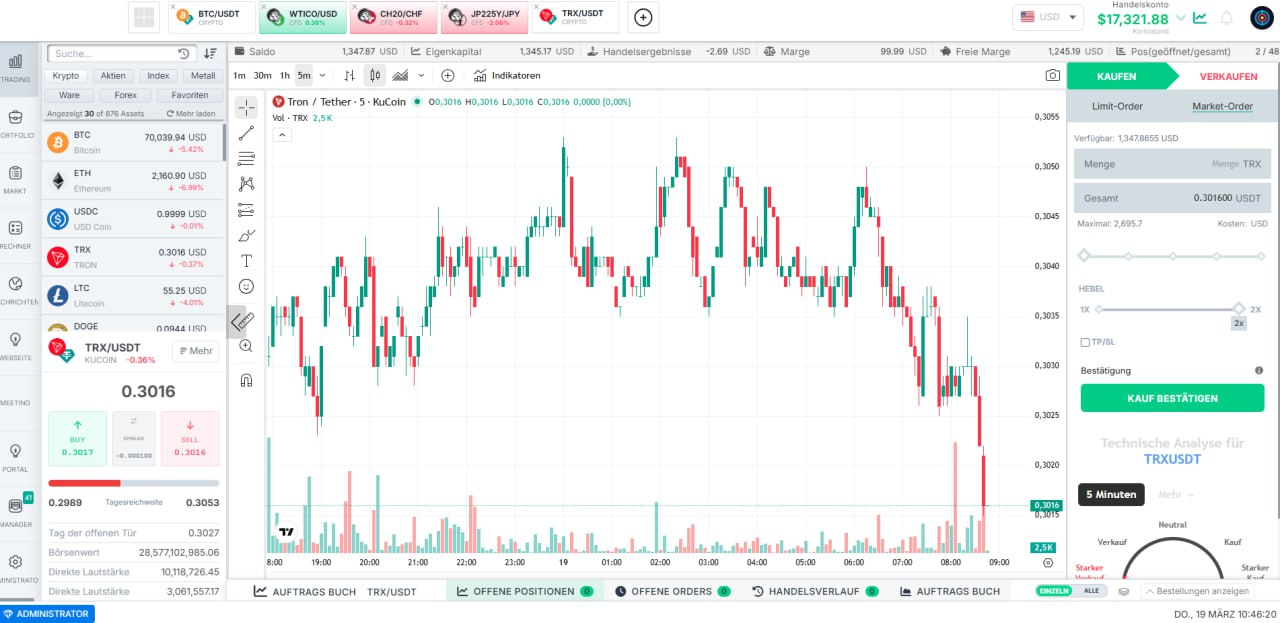
What's new: Keys have been added to the language files, and the text has been translated into German
Loging Templates Enhancements
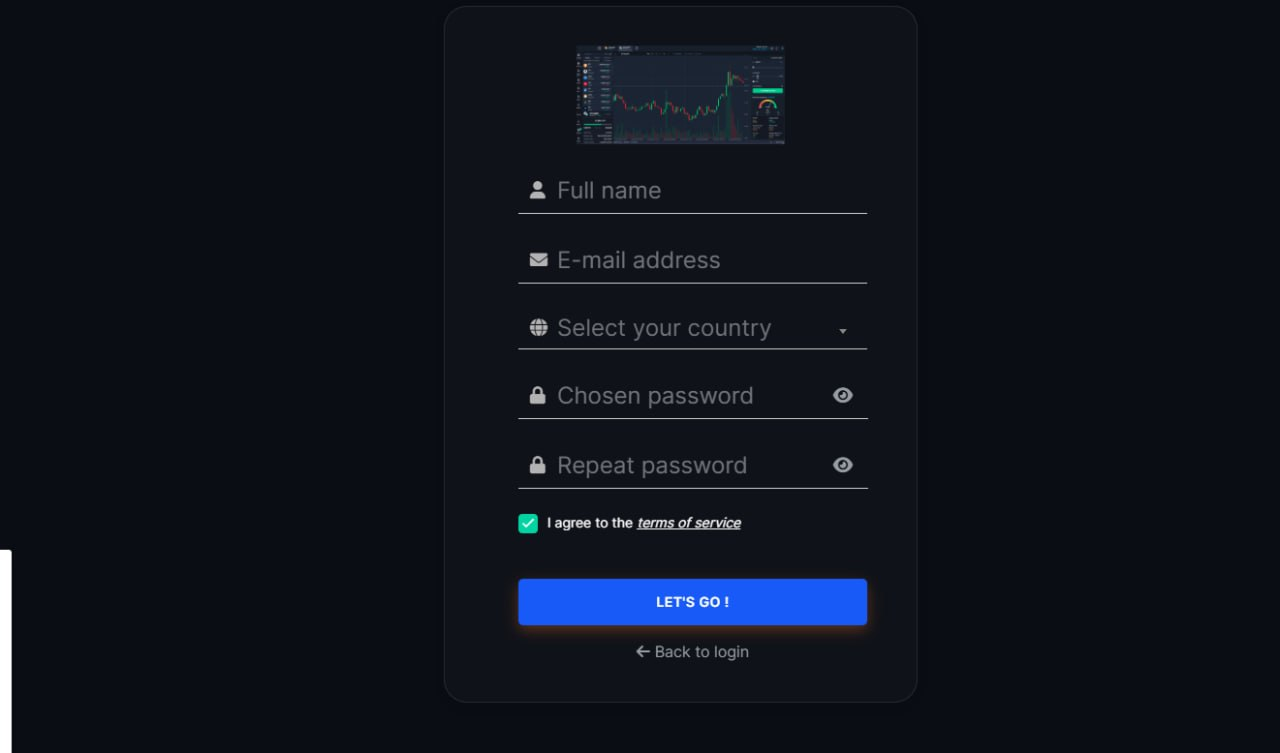
What's new: Fixed user creation via the platform on all templates (tpl-1, tpl-2, tpl-3, tpl-4, tpl-5)
Fixed 2FA authentication on these templates
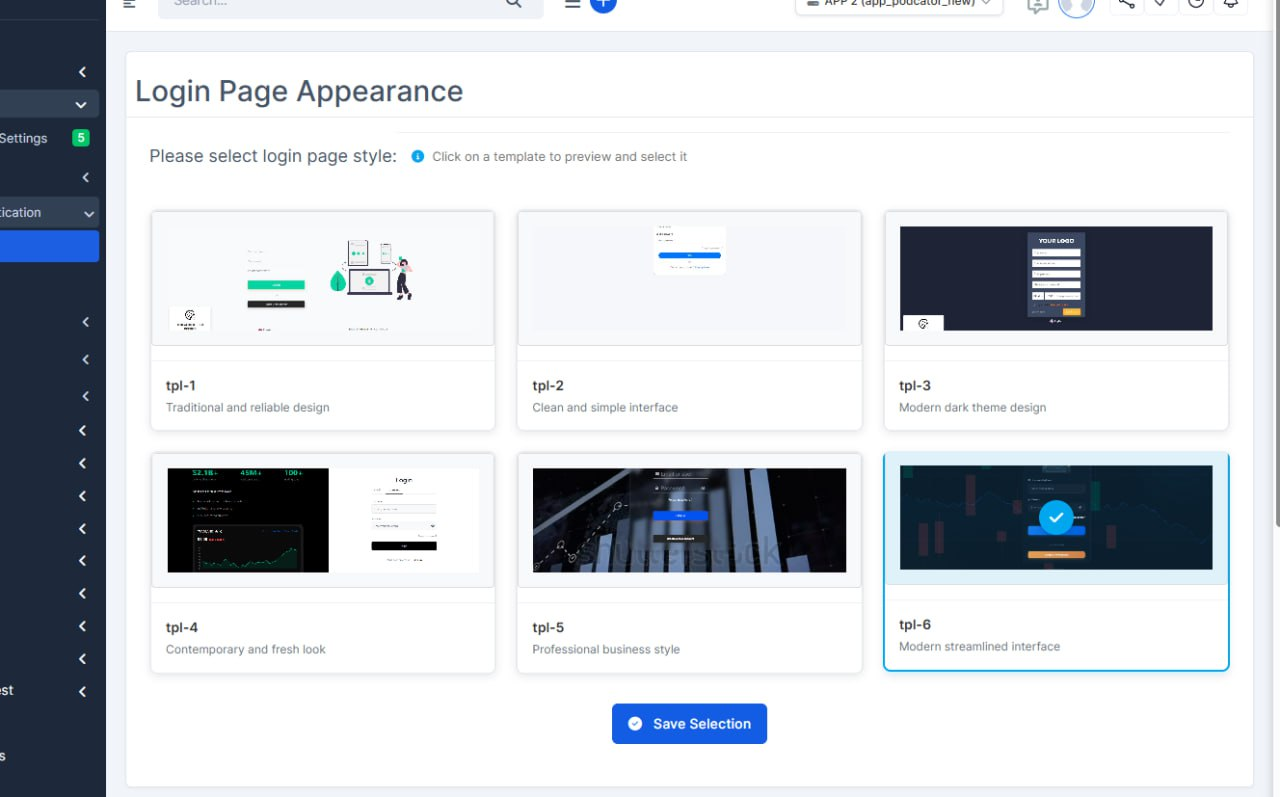
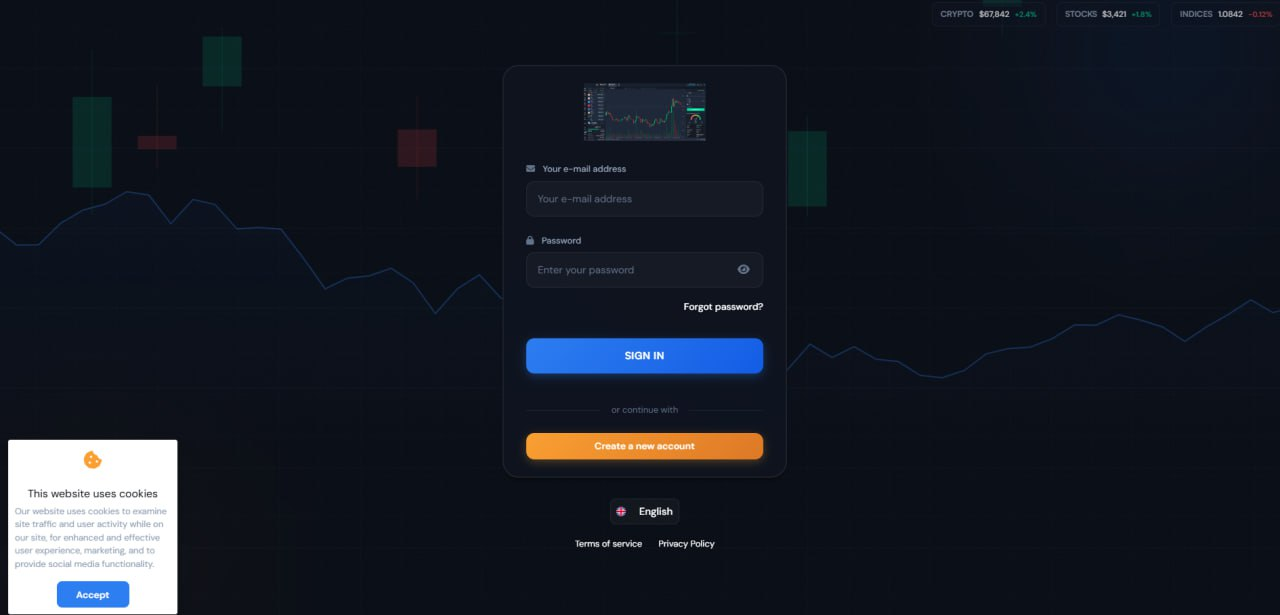
What's new: A new template (tpl-6) has been added; it is available on the platform and in the CRM (Setup -> Admin Platform -> Authentication -> Login).
Icon Display Fixes on Portfolio
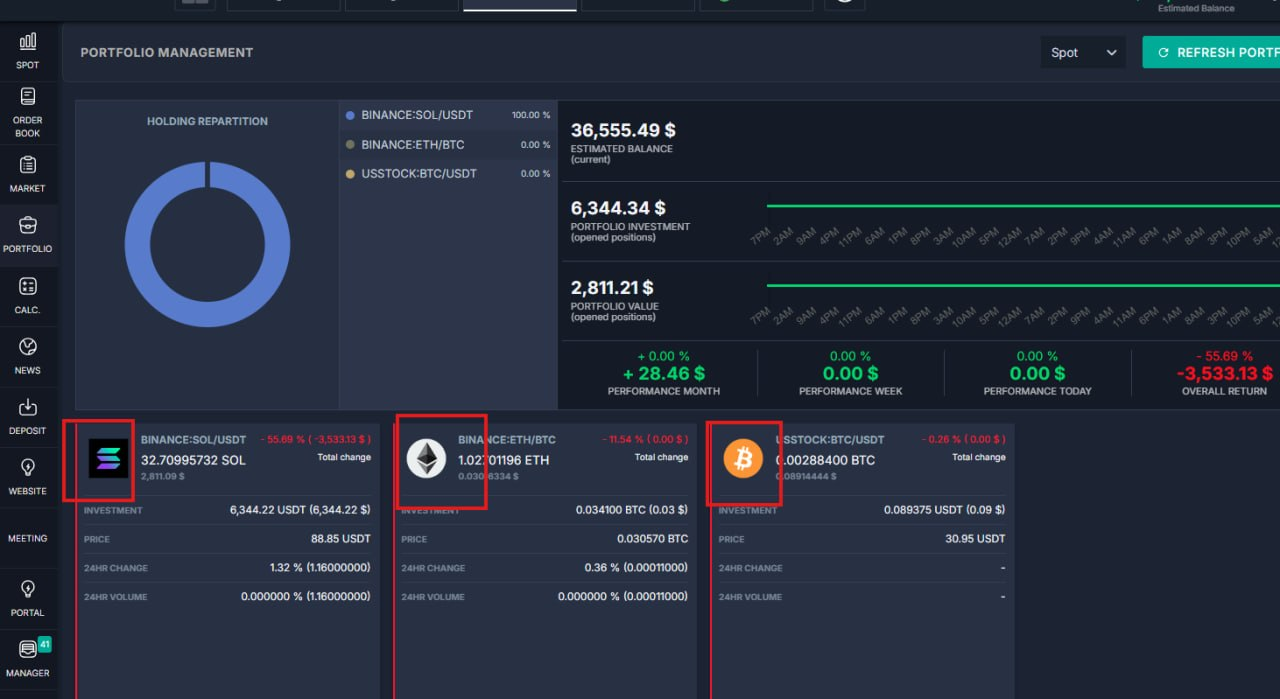
What's new: Icon display has been fixed
Balance Calculations
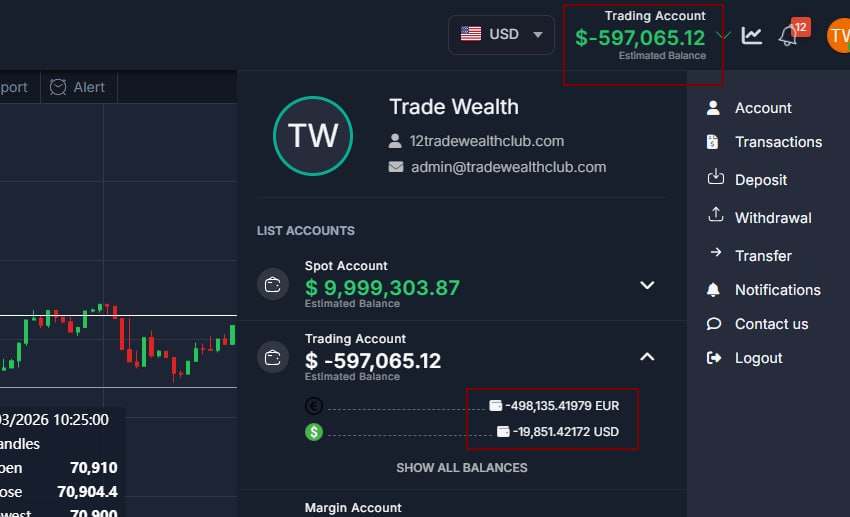
What's new:
- Balance calculation speed improved
- Fixed 0 balance in header issue (if user had minus balance, it was showing 0 in the header)
- Fixed the bug with balances calculation (when there was no assets available on the app, it was showing 0 for all balances)
Description Updates
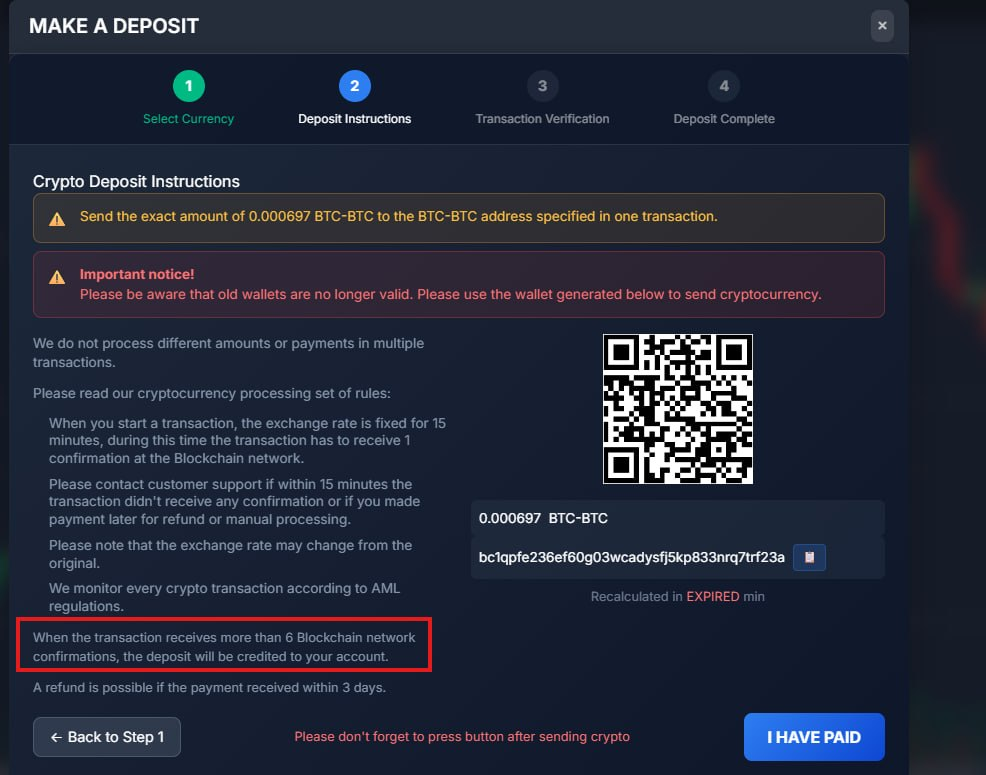
What's new: A small correction to the deposit description.
Webcame Updates
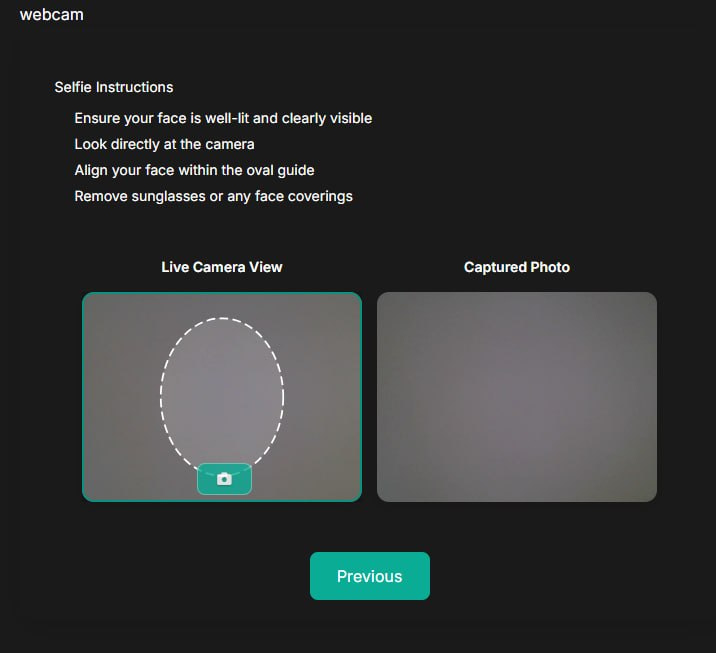
What's new: Fixed maximum resolution when taking photos from the web camera in the KYC wizard to 720p (HD) (1280x720)
Deposit Template Variants
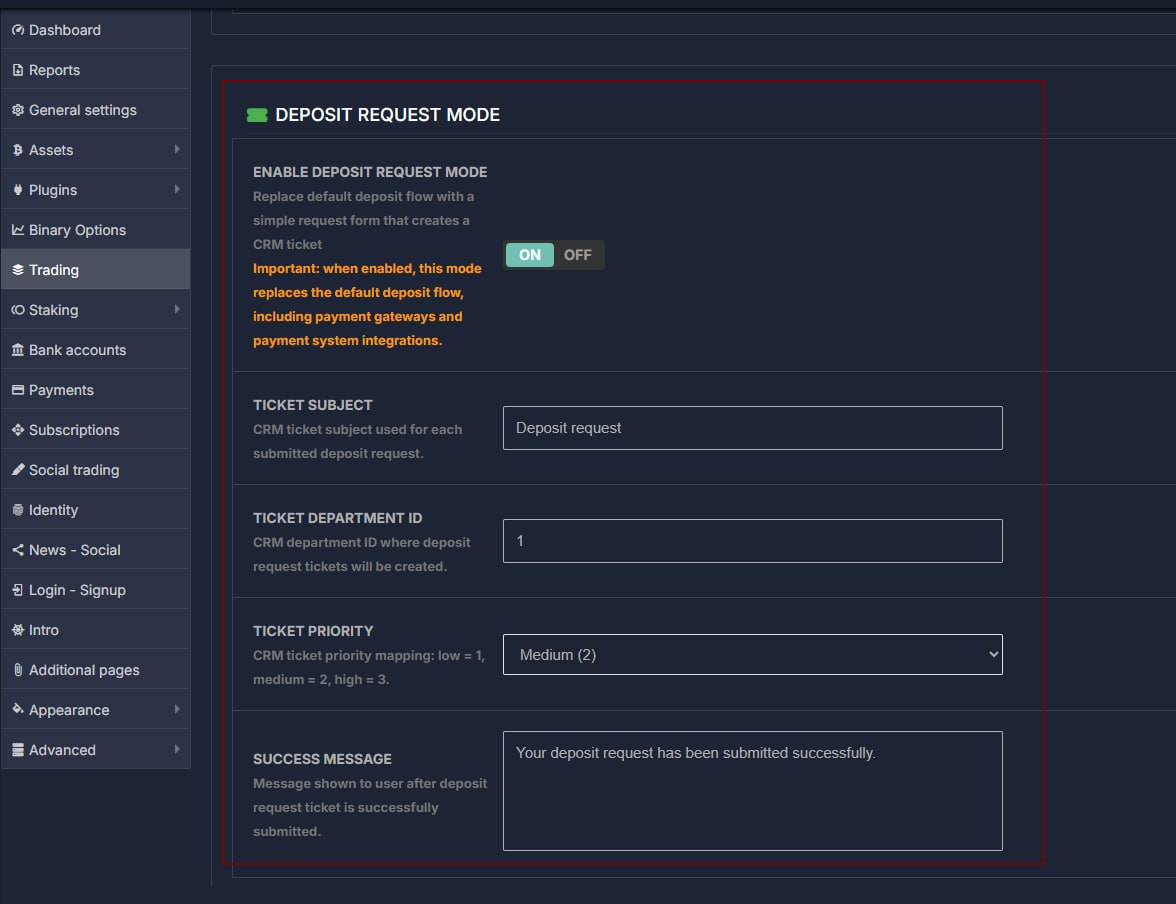
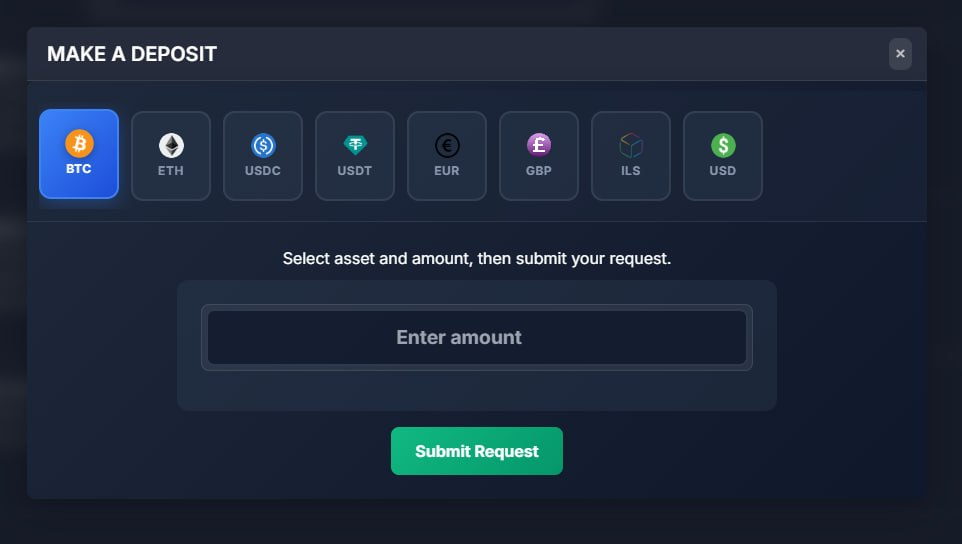
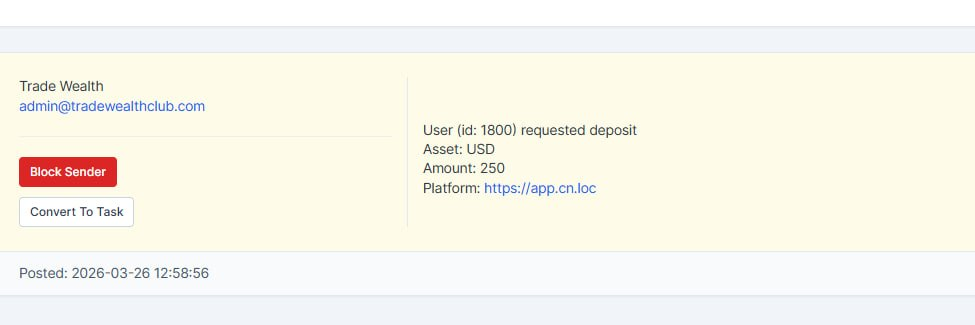
What's new: Added another variant of Deposit form; this one disables all payment system integrations and crypto wallets, just a simple form for user to make a request to crm, that he wants to make a deposit. This form submits Ticket into the CRM with all needed info (platform url, user name, user email, user id, selected Asset and amount). This deposit method could be activated from the Trading settings --> Deposits page
Colours Fixed
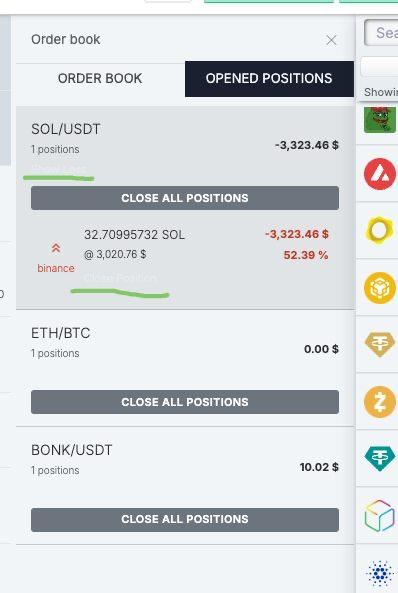
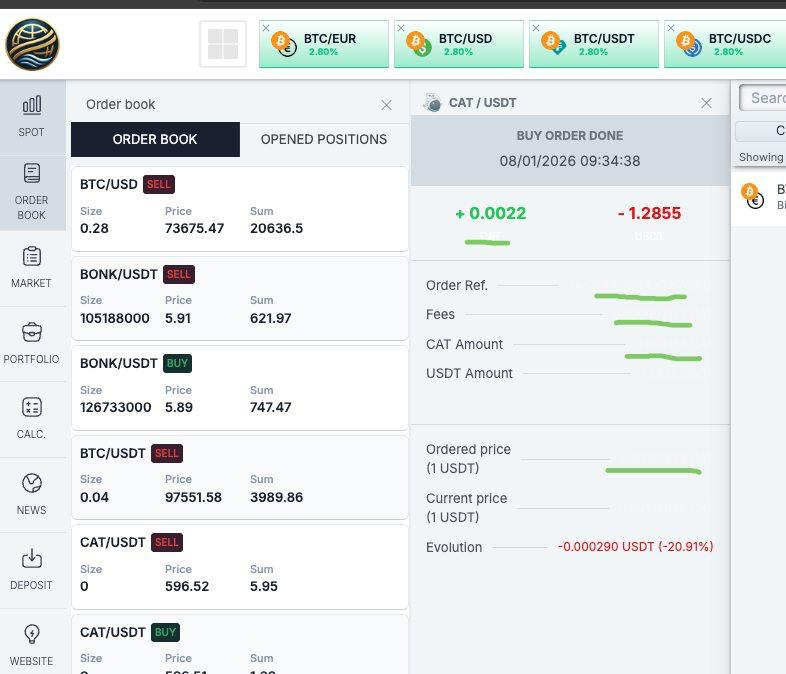
What's new: Fixed this color.
Notifications Bug
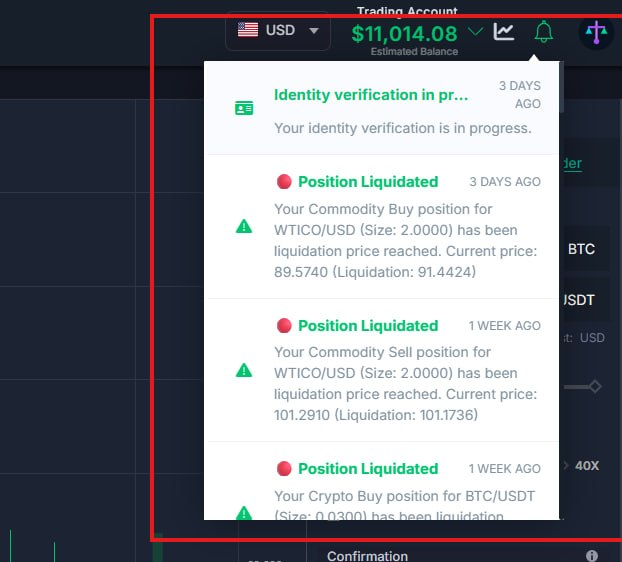
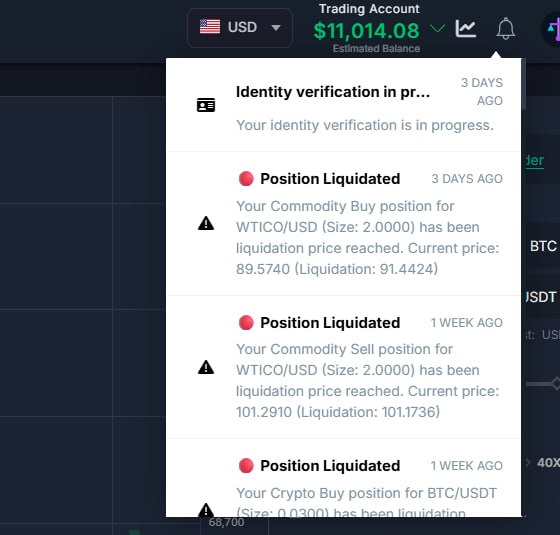
What's new: Bug fixed. When you hover over a notification, all elements are highlighted
Notifications Bug
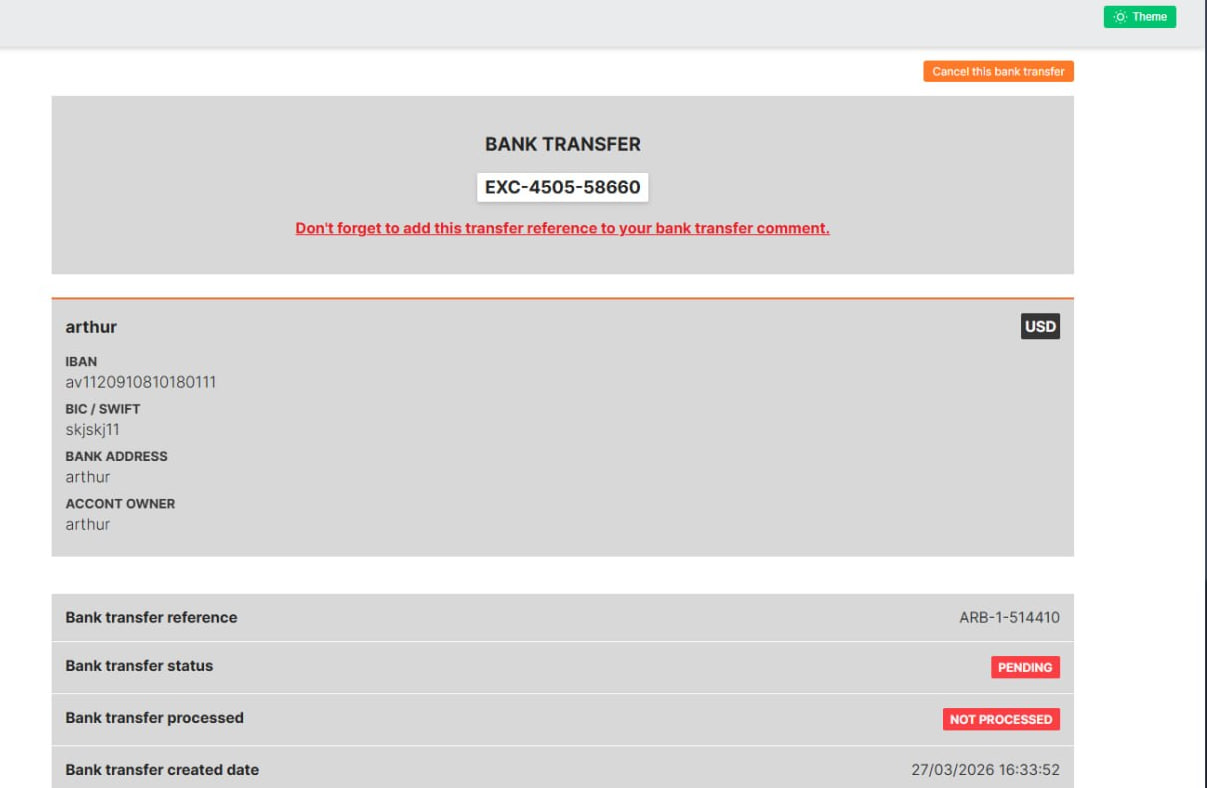
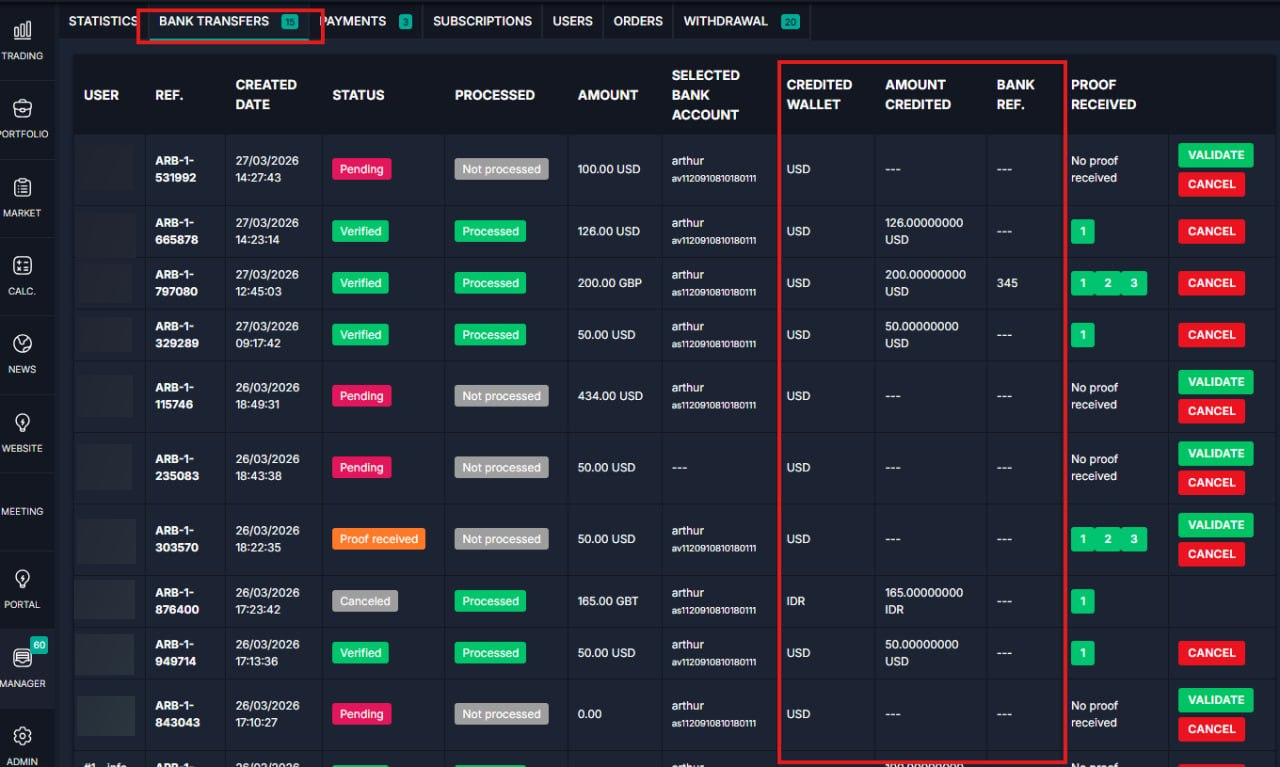
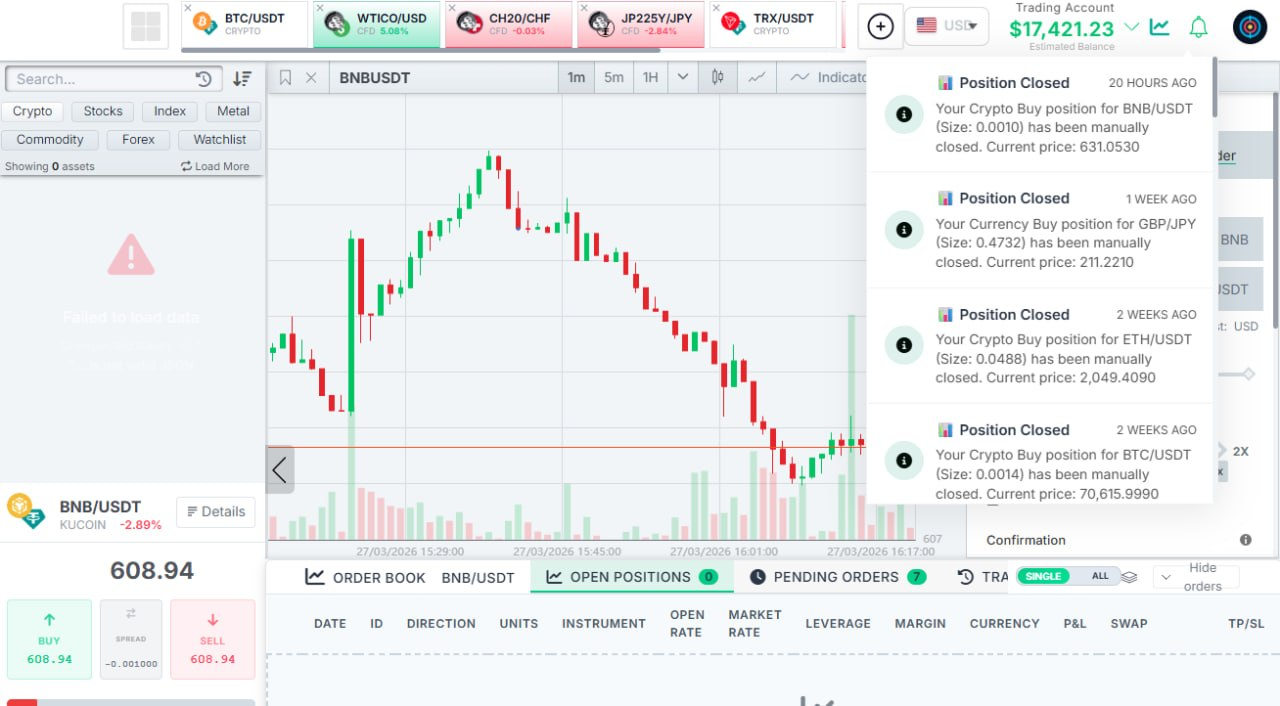
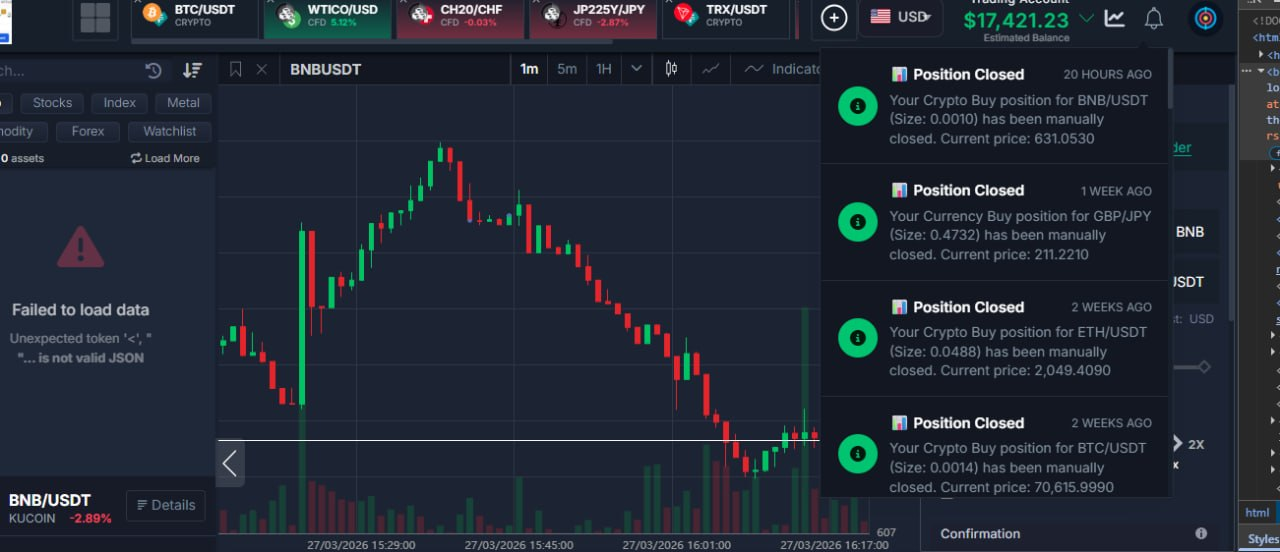
What's new:
-Improved notification interface with support for both dark and light modes
-In the Bank Transfer manager:
--Items are now sorted by most recently added
--Added three new columns to the table
--Fixed the “Proof received” modal opening
-Fixed the “Validate Bank” form and added support for dark and light modes
-When making a deposit via bank transfer, the entered amount is now displayed to the client
-Improved the new deposit page:
+Updated layout
+Fixed URL issues
+Added support for dark and light modes
+After the manager confirms a deposit, the client can no longer delete the receipt and will see real-time updates
Release Date: 27 March, 2026
Thank you for being valued partners. We're committed to continuously improving the platform to help you grow your business.
The Development Team